.svg)
.svg)
.svg)
.svg)
.svg)
.svg)
.svg)
.svg)
.svg)


.svg)
.svg)
.svg)
.svg)
.svg)
.svg)
.svg)
.svg)

.svg)
.svg)
.svg)

.svg)

.svg)
.svg)
.svg)
.svg)
.svg)


.svg)
.svg)
.svg)
.svg)
.svg)
.svg)
.svg)




.svg)



%20(1).png)

This article is published by Givebutter, Inc., a product in this category. Quotes and reviews sourced from third-party platforms (G2, Reddit, community forums) do not reflect independent testing by Givebutter, Inc.
If you’re looking for a way to streamline your church management process and improve your member experience, you likely know the challenge of juggling multiple tools. When your systems don’t work together, administrative tasks become harder, and engagement suffers.
Fortunately, you don’t need a complex tech stack to run your church effectively. In this guide, we’ve gathered the best church software from three essential categories: church management systems (ChMS), accounting, and online giving. Whether you’re looking to streamline operations, simplify accounting, or boost member engagement, these tools are here to help.
The best church software at a glance
Church management software (ChMS)
A church management system (ChMS) serves as the central online hub for member records, attendance tracking, volunteer coordination, livestreaming, and communication. Because it connects so many operational functions, ChMS is usually the first software churches invest in.
1. Planning Center: Best ChMS for mid-to-large churches
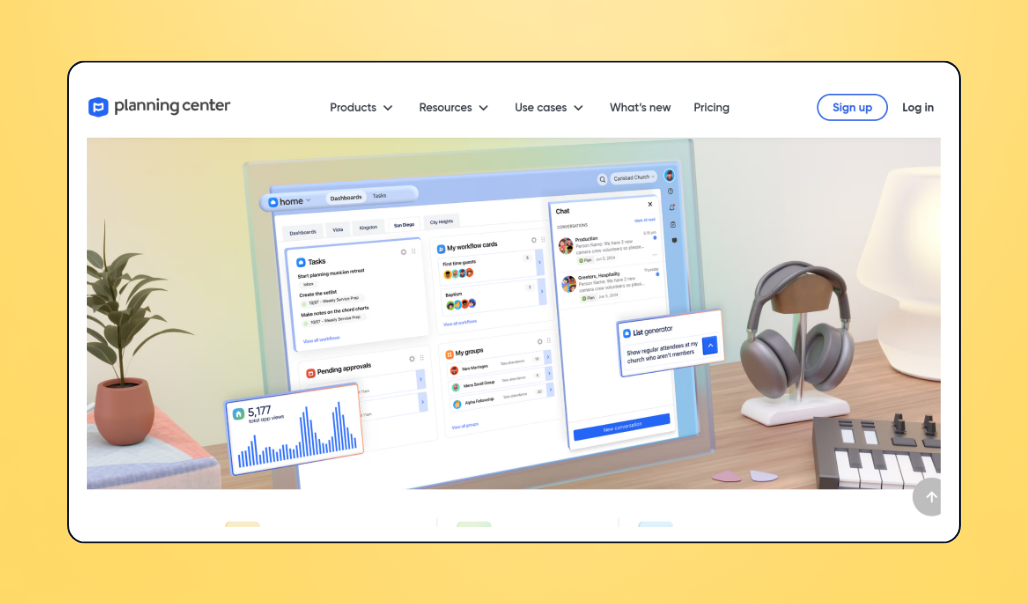
Planning Center is a robust Church Management system featuring service management, check-in, giving tools, and more. Users can create service schedules, track volunteers and attendees, manage their calendar, and accept donations.
💰 Price: Pricing varies by product, with plans ranging from free to $239 per month. Planning Center’s People module, which includes a database, reporting, and communication tools, is free.
⭐ Pricing model: Subscription pricing varies based on the products selected and church size
📣 Standout features:
- Mix-and-match products and pricing
- Free People product
- App for members and staff
- Service scheduling
- Digital sheet music
- Online and in-person donations
✅ Best for: Mid-sized to large churches (300+ attendees) looking for flexible pricing and products
🔥 Our take: Planning Center is one of the most widely recommended church management apps. Its modular pricing structure means you only pay for what you need, though some churches report that each product can have a learning curve, and using multiple products can be costly.
What users like about Planning Center
“Planning Center has made itself a one-stop shop for most all of our platform needs. The fact that they integrate with so many other applications is exceedingly helpful. I am so grateful for all we can do within the Church Center App and on the backend with a PC.” — Christina S., Planning Center user
What users dislike about Planning Center
“There is a bit of a learning curve, especially with building and assigning teams, etc. But they have very helpful tutorial videos. Navigating the different features can be a bit convoluted as well.” — Mike Q., Planning Center user
2. Subsplash: Best all-in-one church software
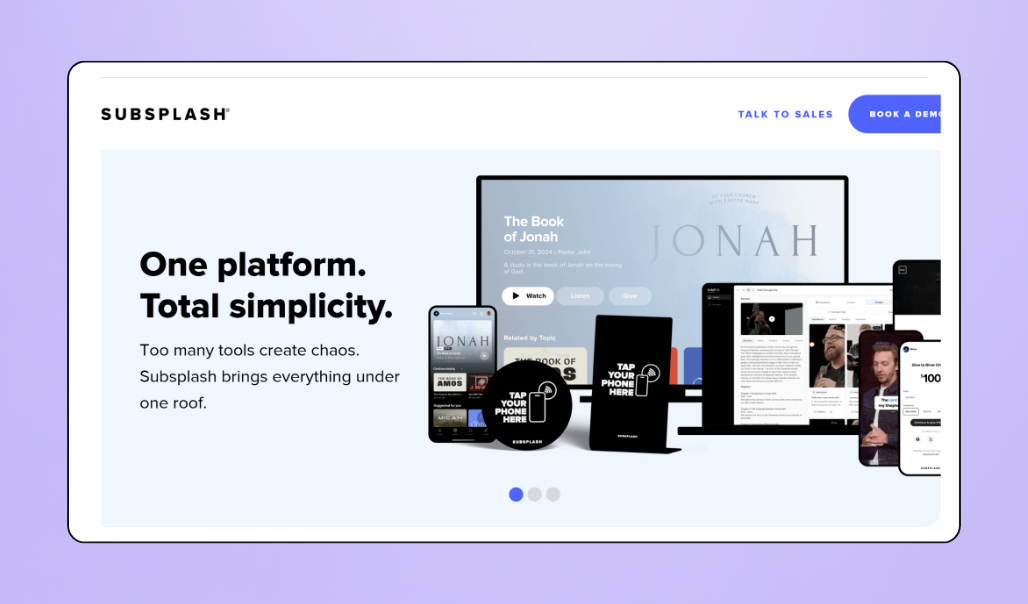
With Subsplash, churches can keep all their management tools in one place, including communication tools, service and membership management, and more. It offers a member app that churches can customize to fit their brand, as well as advanced AI tools to convert sermons into videos, blog posts, and newsletters.
💰 Price: Contact Subsplash directly for a quote.
⭐ Pricing model: Subsplash offers three different plans: Subsplash Giving, Subsplash One, and Enterprise.
📣 Standout features:
- Volunteer management
- In-app messaging
- Customizable dashboard
- Livestreamed services
- Branded app
- Bible engagement tools
- AI-driven media workflows
- Event management
✅ Best for: Mid-sized to large churches that want a single vendor for their tech stack
🔥 Our take: Subsplash is a true all-in-one church management solution. It works well for mid-sized to large churches looking to manage every aspect of their church, and deepen engagement with more advanced tech tools like a customizable app and AI-powered media. While it’s easy to get started with the platform, its robust feature set comes at a higher price, and in some cases, smaller churches may end up paying for more than they need.
What users like about Subsplash
“I really like that everything we need is in one place. It all connects easily, and it’s very simple to find what I’m looking for. The AI function for developing systems is a lifesaver, too.” — Liesl R., Administrative Assistant & Subsplash user
What users dislike about Subsplash
“They have several packages to choose from, but the premium version seems expensive for a nonprofit. It would be nice if they offered an “a la carte” approach to be able to pick and choose the features that would work best for the organization, and not have to pay for things that we don’t use.” — Cheryl C., External Communications & Subsplash user

Church accounting software
The right accounting software helps churches track donations, manage restricted funds, and remain compliant with IRS rules and regulations.
Look for accounting software that supports fund-based accounting, integrates with your giving platform, and simplifies financial reporting.
1. Aplos: Best accounting software built specifically for nonprofits
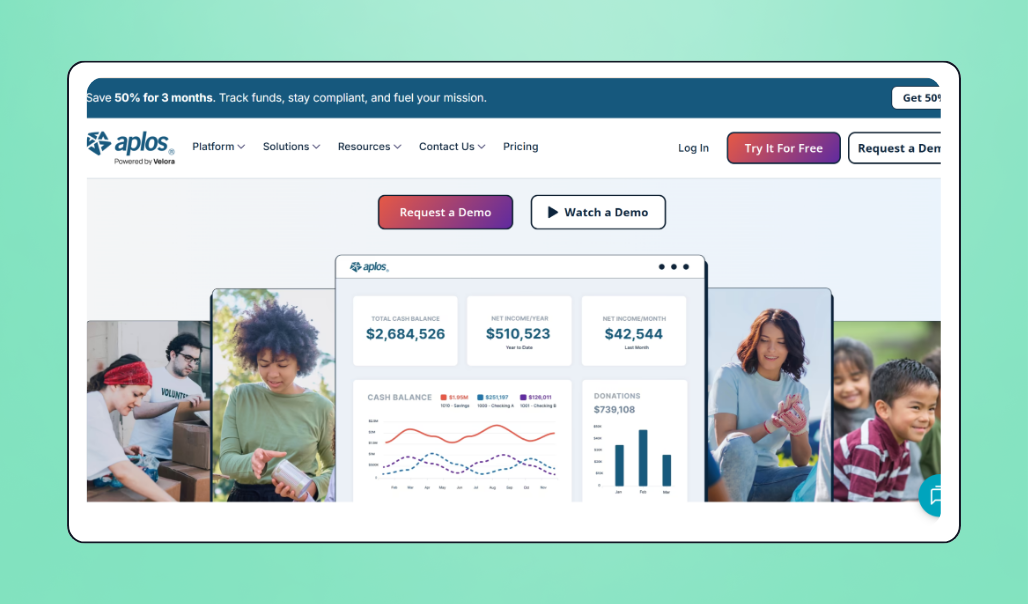
Built specifically for nonprofits and churches, Aplos combines fund accounting, reporting, and budget management tools into a single platform. Its church plan features a custom-built chart of accounts, so you can feel confident you’re meeting IRS reporting requirements.
💰 Price: Aplos Lite starts at $79 per month, with prices for Core and Advanced ranging to $229. It also offers a custom plan with tailored pricing for larger organizations ($1M+ annual revenue).
⭐ Pricing model: Monthly subscription with a 15-day free trial
📣 Standout features:
- Automatic fund tracking
- Report generation
- Built-in IRS-ready reports
- Free nonprofit support
- Automated bank reconciliation
- Donation reporting
- Custom chart of accounts
✅ Best for: Church-specific fund accounting
🔥 Our take: Aplos offers easy-to-use tools and tailor-made bookkeeping for churches. Users can track all their funds in one platform without toggling between multiple spreadsheets. Reviewers find its wide range of reporting templates unique and helpful, though some say Aplos customer support can be hard to access at times.
What users like about Aplos
“I like Aplos for its user friendliness and the layout of things, which makes it pretty easy to use. The layout allows me to navigate to any area I need in just two or three clicks, making it fast, and the upgraded layout is even faster. The initial setup was easy, as Aplos had a team that brought us on board smoothly.” — Jerome M., Pastor & Aplos user
What users dislike about Aplos
“There are so many reports, and you can customize them so easily, I found it challenging to get our Council Members to give me feedback on the reports they wanted to see. I think it would be helpful to have some reports designated as standard reports for churches.” — Denise M., Church Treasurer & Aplos user
2. QuickBooks Online for nonprofits: Best for churches with an existing bookkeeper
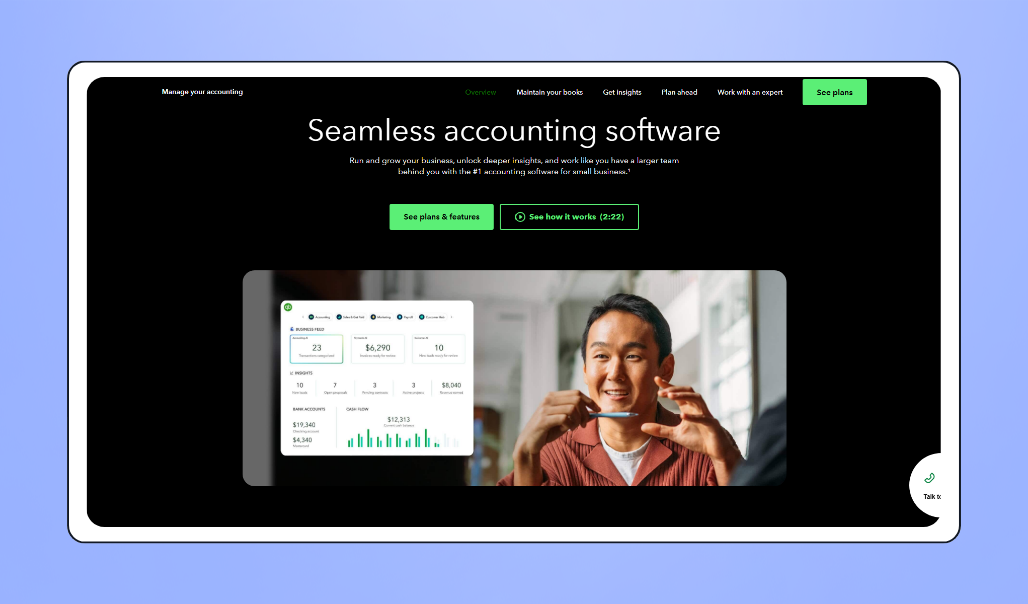
While QuickBooks isn’t church-specific, it’s the #1 accounting software for small businesses and remains one of the most widely used platforms among nonprofit bookkeepers and accountants. It integrates with many ChMS and giving tools, making it a practical choice for churches that already have financial systems in place.
💰 Price: Prices typically range from $38–$275 per month. Through TechSoup, nonprofits can get QuickBooks Online Plus for $80 per year (including 5 users) or QuickBooks Online Advanced for $170 per year (including 25 users).
⭐ Pricing model: Monthly subscription with a 15-day free trial, or annual subscription with the TechSoup discount
📣 Standout features:
- Separated funds for accurate tracking
- Budget management tools
- Automated bank reconciliation
- Fund-based reporting for financial transparency
- Audit-ready report generation
- Custom chart of accounts
✅ Best for: Churches already working with an accountant
🔥 Our take: QuickBooks Online is the go-to accounting system for good reason. You can track donations and expenses, manage your budget, sync directly with your bank account, and generate specialized reports. Plus, it offers convenient integrations with giving platforms like Givebutter so that you can keep all your financial data in one place. While its tools are robust, it’s not specifically tailored to nonprofits or churches, which may be challenging for some users.
What users like about QuickBooks
“What I like best about QuickBooks Online is the ease of use, real-time updates, and integration with our organization’s financial institutions. My finance manager and I can both be logged in and co-work on any issues. Over the past year, I have learned so much about QuickBooks Online and its various uses for our organization.” — Kela J., Director of Development & QuickBooks user
What users dislike about QuickBooks
“Being that I do not have a finance background, learning QuickBooks was already a learning curve for me. This is not a reflection of the software but just my own personal and professional knowledge.” — Kela J., Director of Development & QuickBooks user
Online giving & events software for churches
Churches that accept online donations see an average 32% increase in contributions, so a seamless giving experience is essential. Look for a low-cost (or free) platform that accepts multiple payment methods and offers streamlined giving, communication, and fundraising event tools.
1. Givebutter: Best free online giving & events platform for churches
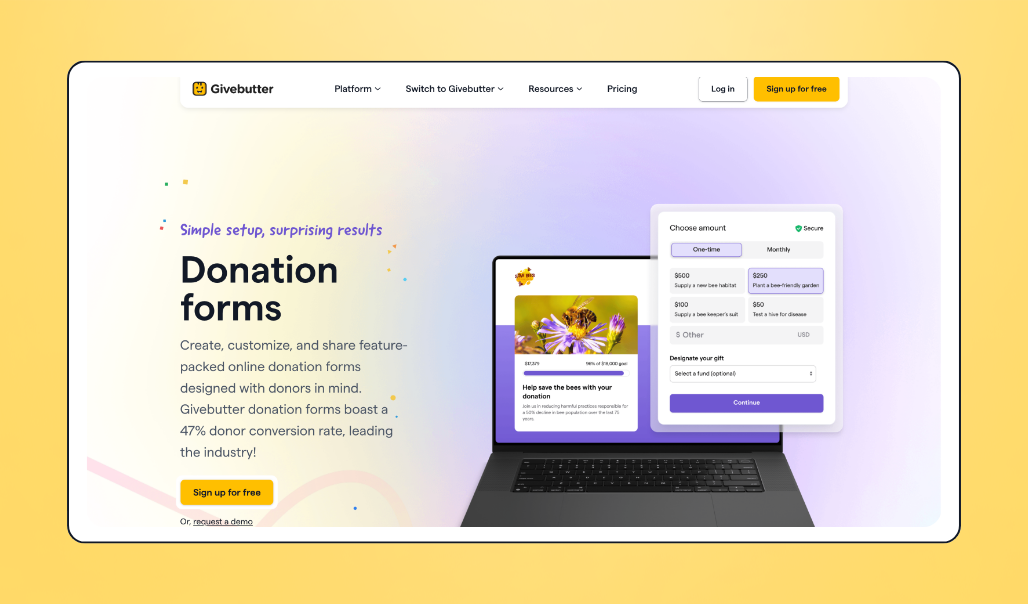
Givebutter is an all-in-one fundraising platform built for nonprofits, featuring donation forms, campaigns, peer-to-peer fundraising, and event management tools. It also offers modern payment processing with multiple ways to give, including credit and debit cards, Apple Pay, Google Pay, ACH, Venmo, and PayPal.
💰 Price: Givebutter’s core fundraising tools are free with optional donor tips enabled. With tips turned off, a 3% platform fee and 2.9% + $0.30 processing fee apply. Givebutter Plus starts at $29 per month.
⭐ Pricing model: Free with optional donor tips, or a flat platform fee plus processing fees when tips are turned off
📣 Standout features:
- Customizable fundraising pages
- Donation forms
- Multiple payment methods
- Recurring giving
- Livestream events
- Mobile giving
- Event ticketing & check-in
- Donor management CRM
- Award-winning customer support
- Native QuickBooks integration (Givebutter Plus)
✅ Best for: Churches looking for a free, all-in-one giving and fundraising hub to work alongside their church management system
🔥 Our take: Givebutter is a modern fundraising solution designed to complement a church management system. In addition to online and in-person giving, churches can manage fundraising campaigns, events, auctions, peer-to-peer fundraising, and recurring giving that ChMS often aren’t equipped to handle. Its broad feature set and low barrier to entry make it a strong choice for churches of any size or budget.
What users like about Givebutter
“I love that Givebutter allows us to fundraise and bring in funds for our nonprofit ministry. I really like that it has many features, such as multiple campaigns, tickets, workflows, emails, saving contacts, and even allows donations by mail. The campaigns are particularly useful, enabling us to set up our staff with personal campaigns to raise their support, and Givebutter tracks it for us.” — Stephen D., Givebutter user
What users dislike about Givebutter
“I wish the fees were even lower, but they are still the lowest in the space I could find.” — Wakefield H., Treasurer & Givebutter user
2. Tithe.ly: Best giving platform for churches already using Tithe.ly
Tithe.ly offers integrated giving tools as part of its broader church management platform. Built specifically for churches, it combines online giving, member management, communication, and church administration software in a single ecosystem.
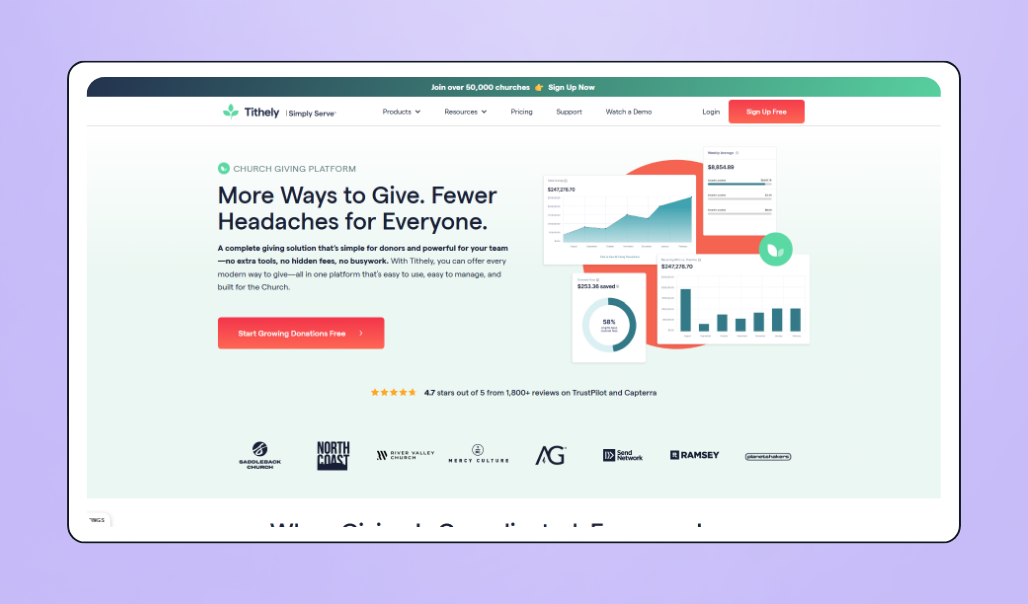
💰 Price: Tithe.ly offers its giving tools for free, with a processing fee of 2.9% + $0.30 per transaction. Plans for its church management tools with integrated giving range from $72 to $119 per month.
⭐ Pricing model: Monthly subscription model
📣 Standout features:
- Unlimited donations
- Mobile-optimized giving
- Accepts Apple and Google Pay
- QuickBooks integration
- End-of-year tax statements
- Recurring giving
✅ Best for: Mid-sized churches looking for an integrated church management and giving system
🔥 Our take: Tithe.ly is a practical, affordable option for churches, offering its giving tools for free. Its integrated approach can help simplify church administration and giving. However, churches looking primarily for fundraising tools or advanced donor engagement and event features may find it less robust than dedicated fundraising solutions.
What users like about Tithe.ly
“Best investment. We started with Giving, but soon added the All-Access, and we are so glad we did. Communication to our people and keeping everyone abreast of what’s happening has been huge.” — Andy Z., Sr. Pastor & Tithe.ly user
What users dislike about Tithe.ly
“Some aspects feel less intuitive than expected, and I’d love to see more guidance or simplified options to help users like me navigate the process with ease.” — Sandra H., Office Manager & Tithe.ly user
Add Givebutter to your church’s tech stack for free
Finding the right software for your church depends on your organization’s size, budget, and goals. Fortunately, you don’t have to replace your whole tech stack at once. If you’re not sure where to begin, start with a giving platform. It’s a simple, low-risk way to increase donations and strengthen engagement.
Givebutter is an all-in-one, free giving platform that helps churches accept donations online, host fundraising events, and build lasting donor relationships. With centralized fundraising, events, and donor management, your team can spend less time juggling systems and more time focusing on your mission.
Supercharge your church's fundraising with Givebutter
Sign up for your free Givebutter account and start growing support for your ministry.
FAQs about church software
What software do most churches use?
Most churches use a church management system (ChMS), such as Planning Center or Subsplash, paired with an accounting platform, such as Aplos or QuickBooks Online, and a giving platform, like Givebutter. The types of software churches use can depend on their size, budget, staff capacity, and goals.
How much does church software cost?
Church software can range from free to $239+ a month, depending on your church’s size, the products you need, and whether pricing is based on users, attendance, or features.
What’s the best free church software?
For church management, Planning Center’s People product is free. For online giving and fundraising, Givebutter offers free core fundraising tools when optional donor tips are enabled.
What’s the difference between ChMS and church giving software?
A ChMS acts as a central online hub for church management, including tracking membership and attendance, scheduling volunteers, and organizing groups and sermons.
Church giving software focuses on online donations, fundraising campaigns, event management, recurring giving, and donor engagement. While some ChMS platforms include giving tools, dedicated giving software typically offers more fundraising features and donation options.
Can one platform replace a full church tech stack?
Probably not entirely, but it can replace enough of it to matter. Identify the 3-5 functions that don’t talk to each other well and consolidate those first. Platforms like Givebutter can consolidate the functions that cause the most friction, like giving, donor records, and communications, without requiring you to remove every tool at once.
Livestreaming, website management, and worship presentation software are where dedicated tools still tend to win.
What is the best free church software for small churches?
Small churches don’t need to spend much (or anything) to get started with the right tools. Planning Center’s People product is free, helping small churches save time and stay organized.
With free giving software like Givebutter, churches can create a seamless donation experience and raise more through fundraising events, recurring giving, and more.
Share this article








.svg)
.svg)