

.svg)
.svg)
.svg)
.svg)
.svg)
.svg)
.svg)
.svg)
.svg)


.svg)
.svg)
.svg)
.svg)
.svg)
.svg)
.svg)
.svg)

.svg)
.svg)
.svg)

.svg)

.svg)
.svg)
.svg)
.svg)
.svg)


.svg)
.svg)
.svg)
.svg)
.svg)
.svg)
.svg)






Video messages
Record and send personal video messages that help donors feel seen and connected to your cause, all from the same place you manage your donor relationships.
Be more than a name in their inbox
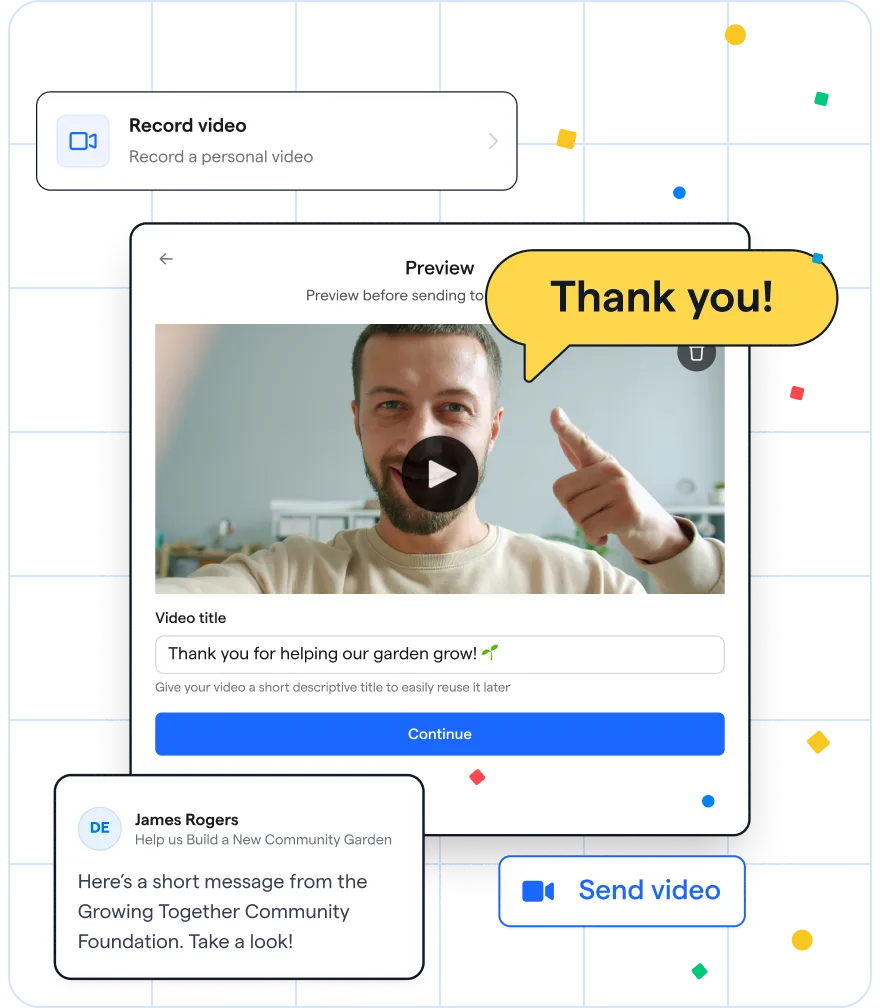
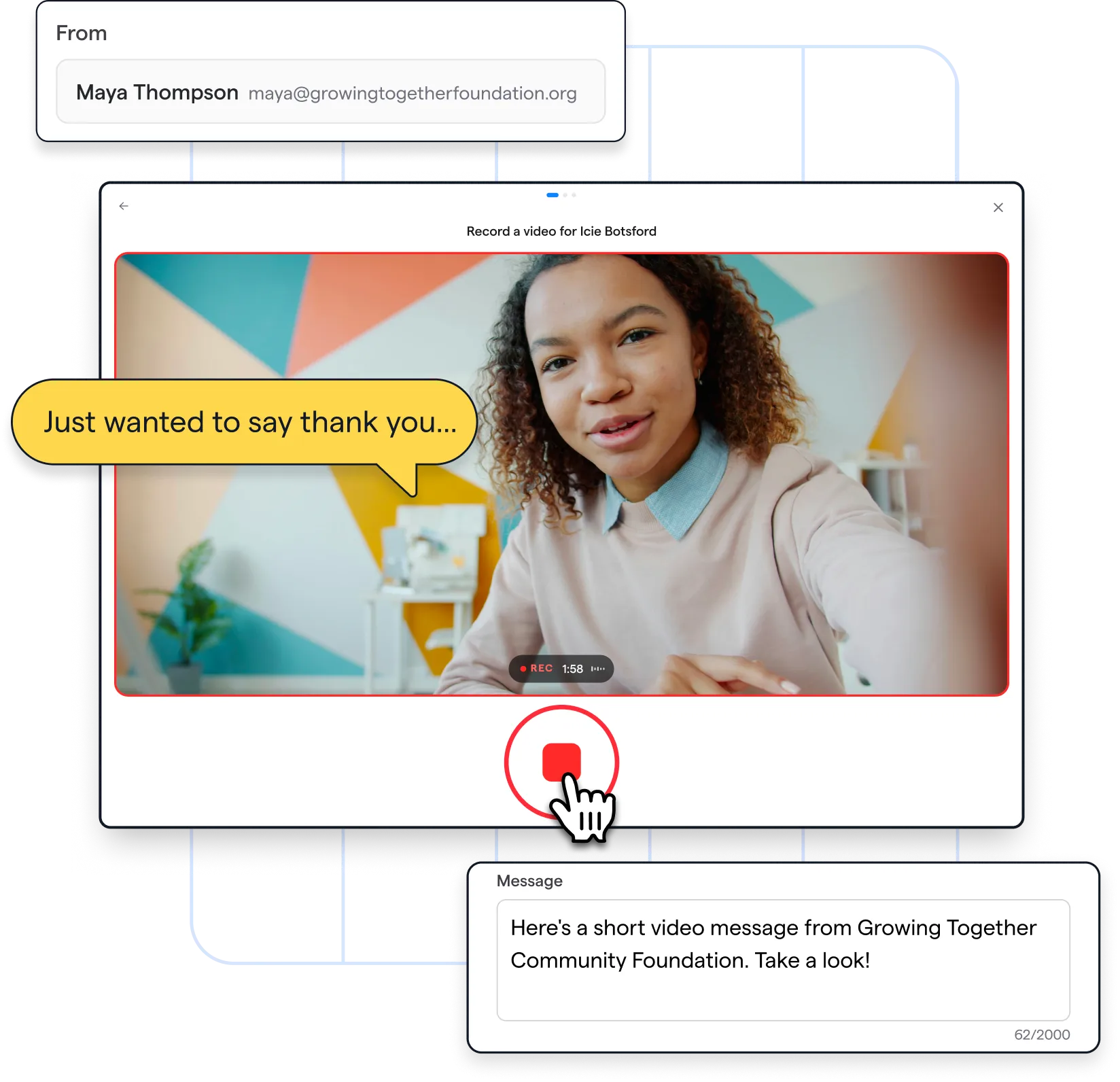
Celebrate a gift, share an update, mark a milestone, or simply check in. Video messages make it easy to show up personally for the moments that matter to your donors.
Record once, connect again and again
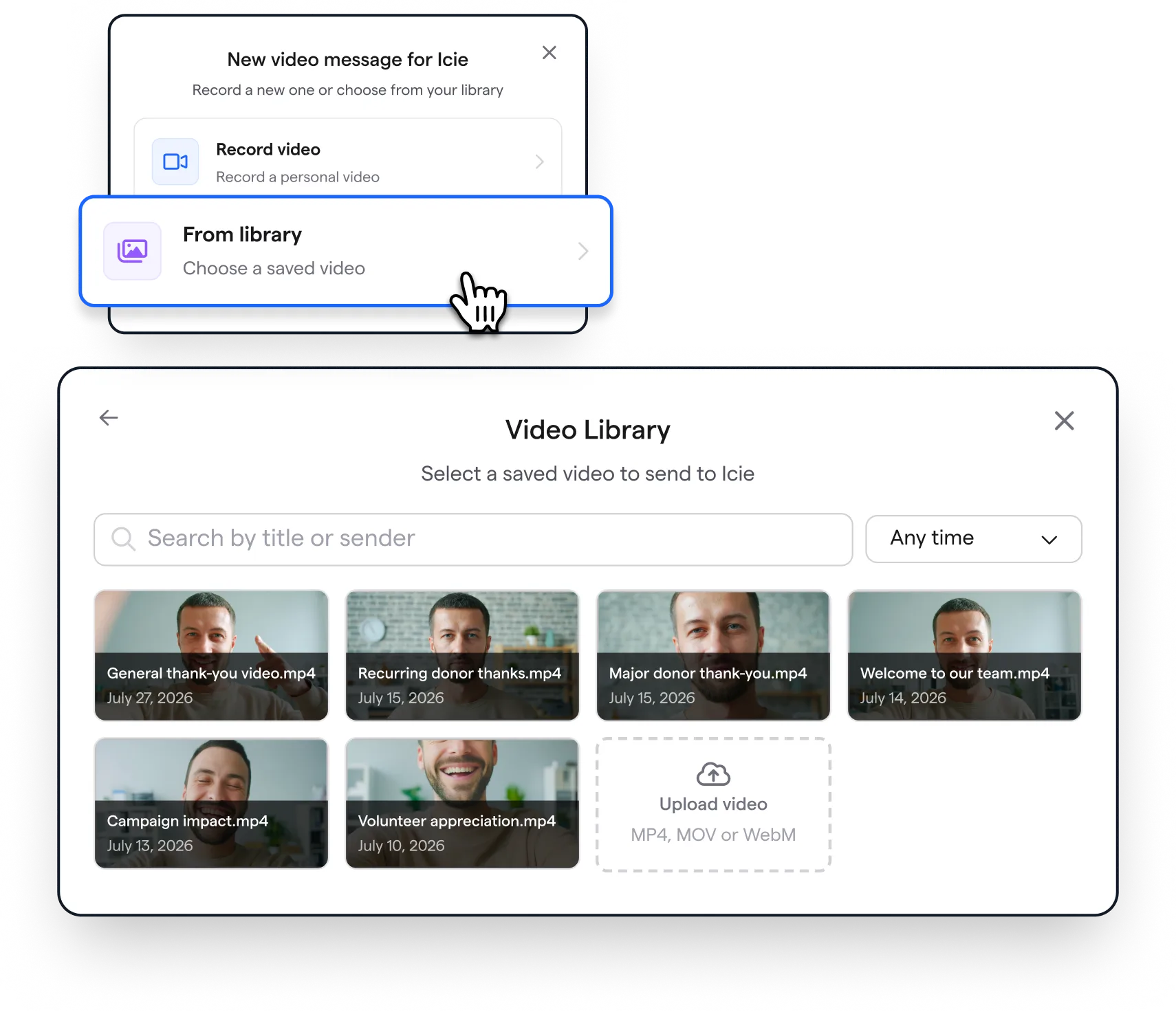
Save videos to your library and reuse them in individual sends with a personal note, so you can make outreach feel thoughtful without starting from scratch every time.
Keep track of every touchpoint
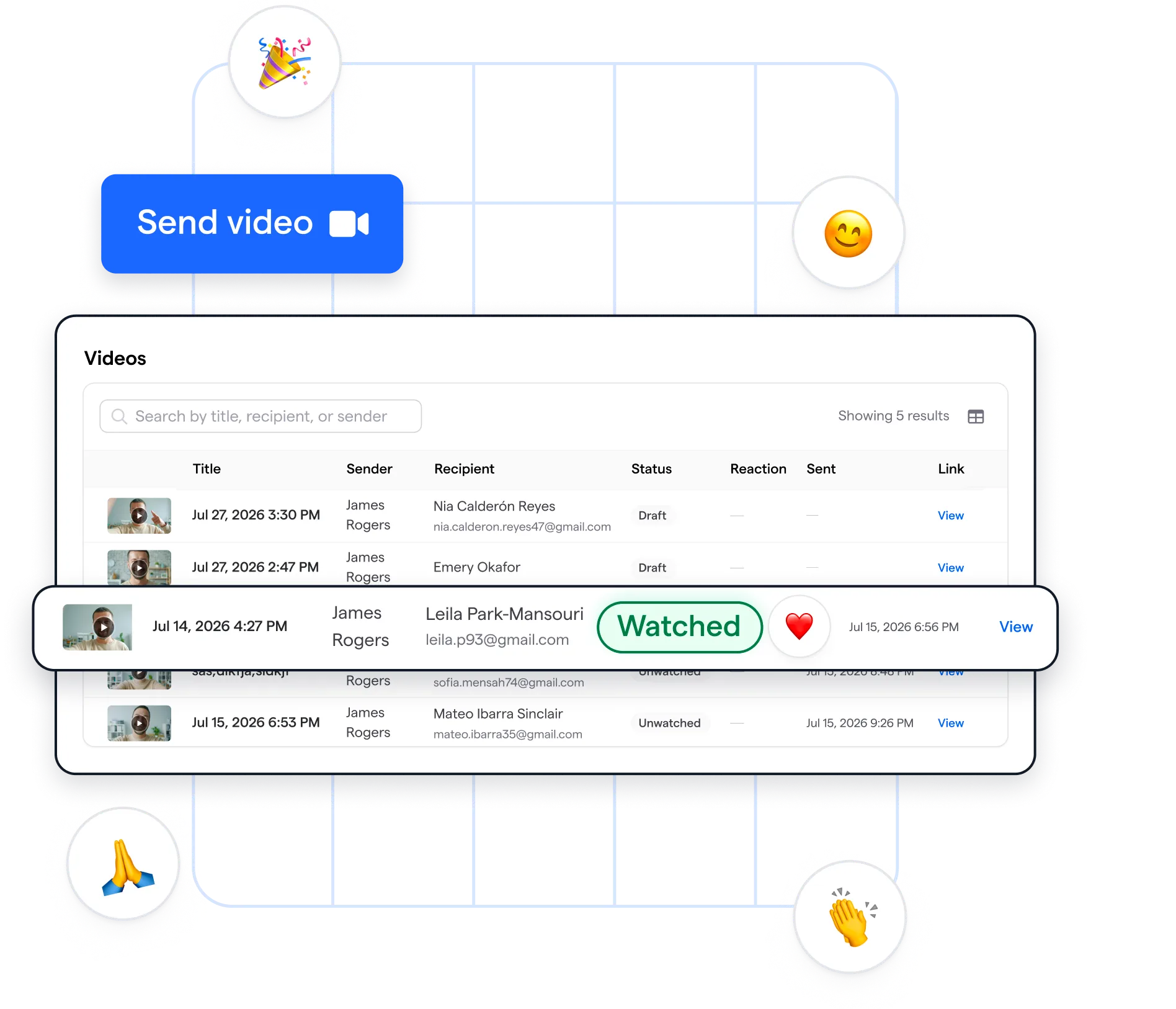
See all your sent videos in one place, including who’s watched and how they reacted. Each message is also tracked in the donor’s contact profile, so nothing gets lost between sends.
Make it personal, not complicated

Add a next step
Turn a personal moment into action with a custom message and call-to-action button that sends supporters wherever you want them to go next.

Record with ease
Record from any device or upload a video you already have, then trim, rerecord, and send when you’re ready.

Skip the extra software
Video messages is built right into Givebutter, so your videos, donor data, and outreach all live under one roof.
%20(1).png)
Did you know?

I love this [video messages] feature. This is unique, never seen it in any other donor software!

.webp)

Sign up
Video messages is available through Givebutter Plus, which you can try free for 30 days—no credit card required. Start your free trial →
.svg)
Record
Head to a donor’s contact profile and record a video message, or choose one from your library. Add a personal touch, keep it genuine, and make it your own.
.svg)
Send
Hit send, and your video lands right in their inbox. You can see when they’ve watched or reacted, while every interaction stays connected to their contact profile.
Explore the full spread of Givebutter Plus features for a better way to work

Workflows
Automate repetitive tasks with pre-built and custom workflows.
.png)
Task management
Manage all your tasks in one place, link associated data, and automate reminders.
.png)
Fundraising blocks
Bring emails to life with goal bars, auction items, peer-to-peer leaderboards, and more.
.png)
Texting
Send personalized outbound text messages with graphics and video capabilities.

Video messages
Record, send, and track personal videos right from donor contact profiles.
.png)
Discounted direct mail
Launch direct mail campaigns at a reduced rate—straight from your dashboard.
.png)
Reporting
Find insights faster with ready-made reports, clear visuals, and easy sharing.
.png)
QuickBooks Online integration
Automatically sync donations, ticket sales, and recurring gifts to QuickBooks.
.png)
Data hygiene
Verify addresses, catch errors, and keep your donor data clean and accurate.

Phone support
Get priority phone support from our team 7 days a week, from 8 AM–1 AM ET.
.svg)
Personal outreach made practical
.png)
.png)
Explore more resources for stronger supporter engagement

Frequently asked questions
What can my nonprofit use video messages for?

Send a personal thank-you after a gift, share an update, celebrate a milestone, or check in with a donor. A short message from someone on your team can help supporters feel connected to the work they make possible.
Do I have to record a new video for every donor?
No. You can save a video to your library and reuse it in individual messages. Add a personal note when you send it to make the follow-up feel relevant to each donor.
How do I create and send a video message?
Open a donor’s contact profile, record a video from your device or upload one you already have, and send it from Givebutter. The donor receives the message by email.
Can I review a video before sending it?
Yes. You can trim or rerecord a video before you send it. You can also upload a video you’ve already made.
Can I see whether a donor watched my video?
Yes. You can see who watched or reacted to a sent video. The interaction is also tracked on the donor’s contact profile, so your team can see that outreach alongside the rest of the relationship.

.svg)
.svg)


