

.svg)
.svg)
.svg)
.svg)
.svg)
.svg)
.svg)
.svg)
.svg)


.svg)
.svg)
.svg)
.svg)
.svg)
.svg)
.svg)
.svg)

.svg)
.svg)
.svg)

.svg)

.svg)
.svg)
.svg)
.svg)
.svg)


.svg)
.svg)
.svg)
.svg)
.svg)
.svg)
.svg)





.svg)





You’re 38 minutes into a donor call, and your Zoom meeting is about to get cut short. You’ve heard that nonprofits can get 50% off select annual Zoom plans—but every guide you find seems to point you to TechSoup. As of May 2025, that’s no longer the right path: Zoom Cares now verifies eligible nonprofits through Goodstack.
This guide to Zoom for nonprofits walks you through the current process, so you can stop piecing together outdated instructions and start hosting meetings and virtual fundraisers without spending more than you need to. We’ll explain who qualifies, how to claim the discount, and which eligible Zoom plan or add-on best fits your nonprofit.
Key takeaways
- Zoom offers a nonprofit discount 💛 Zoom Cares provides eligible organizations 50% off select annual Zoom subscriptions.
- Make sure you qualify ✅ Eligible nonprofits and public libraries with an operating budget of $10 million or less may qualify for Zoom Cares, subject to Goodstack verification.
- Verify through Goodstack 🥞 As of May 2025, Goodstack—not TechSoup—verifies organizations applying for the Zoom Cares discount.
- Start on Zoom’s website 🌐 Visit the Zoom Cares page, select your operating budget, and follow the prompts to complete eligibility verification through Goodstack.
- Apply your discount code 💳 Once your organization is verified, you’ll receive a discount code to use toward an eligible annual Zoom subscription.
- Pair Zoom with Givebutter 🧈 Bring your virtual event and fundraising experience together so supporters can watch and give in one place.
What is Zoom Cares & does your nonprofit qualify?
Zoom Cares is Zoom’s official discount program for nonprofits, offering eligible organizations 50% off select annual Zoom subscriptions. To qualify, your organization must:
- Be a nonprofit or public library with 501(c)(3) status, or an international equivalent recognized by the applicable regulator
- Have an operating budget of $10M or less
- Complete eligibility verification through Goodstack
Education and healthcare organizations, government agencies, and other nonprofit designations such as 501(c)(4)s and 501(c)(6)s aren’t eligible for the Zoom Cares discount. But if you regularly host longer meetings or virtual events, the 50% discount can significantly reduce the cost of a paid plan.

How to get your Zoom nonprofit discount
Whether you’ve hit a dead end trying to sign up through TechSoup or you’re not sure where to start, here are four steps to secure your Zoom nonprofit discount.
As of May 2025, Goodstack has replaced TechSoup as Zoom Cares’ verification partner. If you previously received a Zoom discount through TechSoup, your discount remains valid through your current term. Complete the new verification process through Zoom Cares before your discounted plan renews.
1. Confirm your organization qualifies 📝
To begin, make sure your organization meets these criteria:
- Qualifying U.S. 501(c)(3) nonprofit or public library with 501(c)(3) status, or an international equivalent recognized by the applicable regulator
- Operating budget of $10M or less
Education and healthcare organizations aren’t eligible for the Zoom Cares nonprofit discount. Zoom directs educational institutions to Zoom for Education.
2. Start your application with your operating budget 🪙
Head over to the Zoom Cares webpage and select your operating budget. If you select $10M or less, you’ll be directed to Goodstack’s Zoom Cares verification form.
If your operating budget is over $10M, you won’t qualify for the Zoom Cares discount. You can review Zoom’s standard plans and pricing instead.
3. Validate your organization with Goodstack 🔗
Next, complete your eligibility verification through Goodstack. You’ll be prompted to provide details about your organization, including your location, organization name, and contact information.
Goodstack will review your application and email you within 2–3 business days with the next steps.
💡 Pro tip: Use the same organization email address that you’ll use for your Zoom account.
4. Apply your discount code 📄
Once Goodstack verifies your organization’s eligibility, you’ll receive an email with your Zoom Cares discount code. Sign in to your Zoom account and apply the code to an eligible annual subscription to receive 50% off.
💡 Pro tip: Already have a Zoom account? You can apply for the Zoom Cares discount before your current plan renews. If you previously received your discount through TechSoup, your existing discount remains valid through the rest of your current term.

Which Zoom plan do nonprofits need?
The Zoom Cares discount covers Zoom Workplace Pro, Workplace Business, the Large Meeting add-on, and Zoom Webinar. Which option you need mostly depends on your event size and format: Zoom Meetings are best for interactive conversations, while Zoom Webinars are designed for larger, presenter-led events.
Here’s how Zoom pricing for nonprofits and plan options compare for Meetings and Webinars:
*Pricing shown as of August 2026 and is subject to change. Check Zoom for current pricing.
When to use Zoom Meetings 👩💻
Zoom Meetings are designed for interactive conversations where participants can use their cameras and microphones and participate in discussions.
Choose Workplace Pro for meetings with up to 100 participants or Workplace Business for up to 300. If your nonprofit needs room for up to 1K interactive participants, you can add the Large Meeting add-on.
💛 Best for:
- Board meetings
- Donor calls
- Volunteer sessions
- Interactive virtual fundraisers
💸 Nonprofit pricing: Zoom currently lists Workplace Pro at $7.08/month per user for 1–9 users when billed annually with the 50% Zoom Cares discount.
When to use Zoom Webinars 🎤
Zoom Webinars are designed for larger, presenter-led events. Hosts and panelists lead the session, giving them more control over the experience, while attendees primarily watch and engage through features like chat, Q&A, reactions, and polls.
Through Zoom Cares, eligible nonprofits can receive the 50% discount on Zoom Webinar plans for up to 5K attendees.
💛 Best for:
- Virtual galas
- Large-scale presentations
- Performance events
- Conference-style events
💸 Nonprofit pricing: Zoom currently lists Webinar plans for up to 5K attendees starting at $64.50/month per license, plus the cost of a paid Zoom Workplace plan.
Bring your Zoom fundraiser together with Givebutter
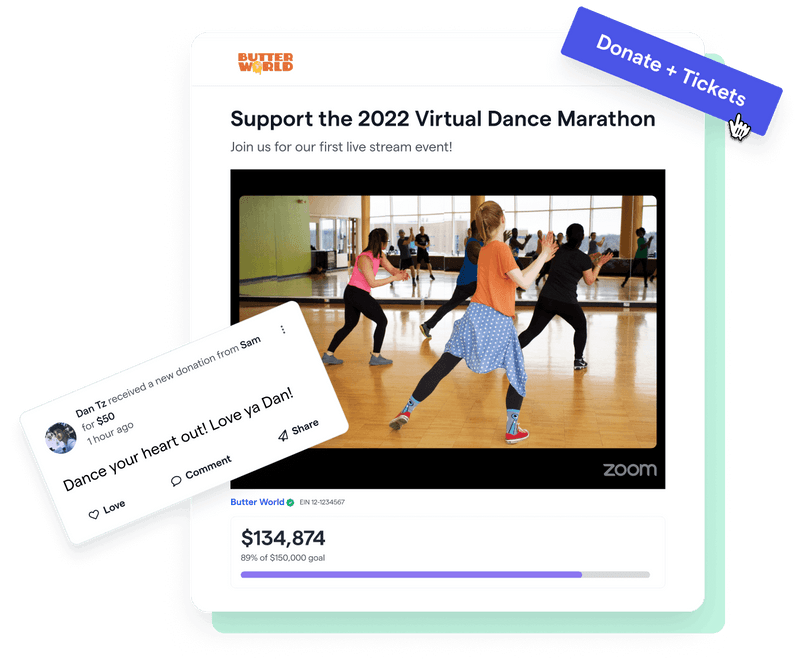
Once you’ve secured your Zoom nonprofit discount and chosen the right plan, you can put it to work for your next virtual fundraiser. Zoom can power the live conversation or presentation, while Givebutter brings your event and fundraising experience together in one place.
To livestream a Zoom event on Givebutter, first stream your Zoom Meeting or Webinar to a supported platform like YouTube Live, Facebook Live, Vimeo, or Twitch. Then, embed that stream directly on your Givebutter event page so supporters can watch and give in one place.
With Givebutter, you can also manage event registration, sell tickets, collect donations, and track your fundraising alongside your livestream. Givebutter’s core fundraising tools are free when optional donor tips are enabled, making it easy to pair your fundraising experience with your discounted Zoom plan.
Bring your livestream & fundraising together
Sign up for Givebutter and bring your next virtual fundraiser to life.
FAQs about Zoom for nonprofits
How do I get Zoom for free as a nonprofit?
Zoom offers a free plan to anyone, but Zoom Cares does not make paid Zoom plans free for nonprofits. Instead, eligible organizations can receive 50% off select annual Zoom subscriptions.
Eligible organizations include qualifying 501(c)(3) nonprofits, public libraries, and recognized international equivalents with an operating budget of $10M or less. Start on the Zoom Cares page and complete eligibility verification through Goodstack to apply for the discount.
What is the Zoom Cares program?
Zoom Cares is Zoom’s nonprofit discount program. Eligible organizations can receive 50% off annual subscriptions for Zoom Workplace Pro, Zoom Workplace Business, the Large Meeting add-on, and Zoom Webinar.
Does a Zoom nonprofit discount cover all Zoom products?
No. The Zoom Cares nonprofit discount applies to select annual products and add-ons:
- Zoom Workplace Pro
- Zoom Workplace Business
- Large Meeting add-on (up to 1K participants)
- Zoom Webinar (up to 5K attendees)
The discount does not apply to all Zoom products. Products such as Zoom Phone, Zoom Virtual Agent, and Zoom Events aren’t included in Zoom’s published list of eligible Zoom Cares products.
Share this article





.svg)
.svg)


