

.svg)
.svg)
.svg)
.svg)
.svg)
.svg)
.svg)
.svg)
.svg)


.svg)
.svg)
.svg)
.svg)
.svg)
.svg)
.svg)
.svg)

.svg)
.svg)
.svg)

.svg)

.svg)
.svg)
.svg)
.svg)
.svg)


.svg)
.svg)
.svg)
.svg)
.svg)
.svg)
.svg)





.svg)



%20(1).png)

Auction events are one of the most exciting moments in nonprofit fundraising. Supporters are engaged, energy is high, and every bid brings your organization closer to its goal.
You don’t want that momentum disrupted, which is why having a platform in place to keep bids running smoothly, payments processed automatically, and donor data current without manual reconciliation is so important.
In this article, you’ll learn how Givebutter supports both silent and live auctions, and discover five features that make it one of the most powerful (and most affordable) auction platforms available to nonprofits today.
Key takeaways
- Givebutter is purpose-built for silent auctions and can display auction items, track bids and winners, and process payments (even for live in-person auctions). It isn’t auctioneer software, though, so paddle bidding and live bid-calling tools aren’t part of the picture.
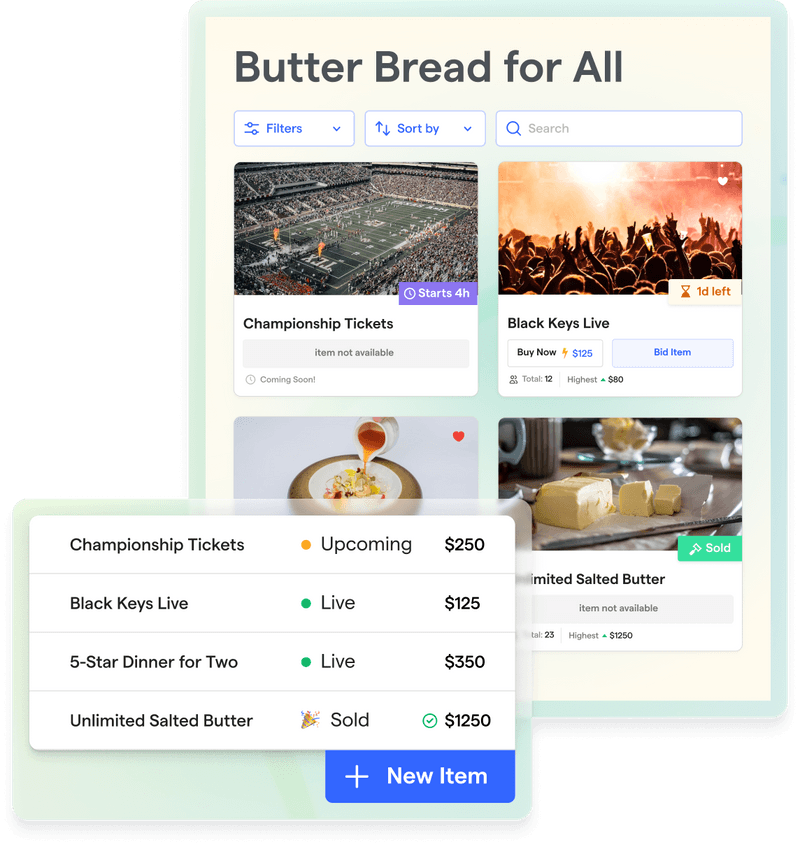
- Supporters can browse, favorite, and bid on items from their mobile device without downloading an app. Givebutter’s auction pages update in real time, and automated outbid notifications keep bidders engaged throughout the event.
- Givebutter lets you add unlimited auction items, organize them into custom categories, and configure each one with descriptions, photos, pricing options, and individual start and end times.
- When the auction closes, Givebutter handles checkout automatically. Winners can be charged immediately or prompted to pay by themselves, and your team can track fulfillment directly from the dashboard.
- Givebutter’s donor CRM is part of the same platform as your auction software, so winner and payment data syncs directly with donor profiles without any need for manual export or reconciliation.
- Unlike dedicated auction platforms that can cost up to $3K a year, Givebutter is completely free when optional donor tips are enabled. This gives you access to auction tools, a donor CRM, and more at no cost.
How Givebutter supports silent auctions
Let’s be upfront: Givebutter is primarily for silent auctions, and it handles them really well. Whether you’re running your auction online, in person, or as a hybrid event, the platform covers everything, including item listings, online bidding, and checkout, all without needing a separate tool.
Live auctions are a different story. Givebutter isn’t auctioneer software, so there’s no real-time paddle bidding software. However, Givebutter can handle the logistics that make live auctions a headache, such as showcasing your items, recording winners, and processing payments when the gavel drops.
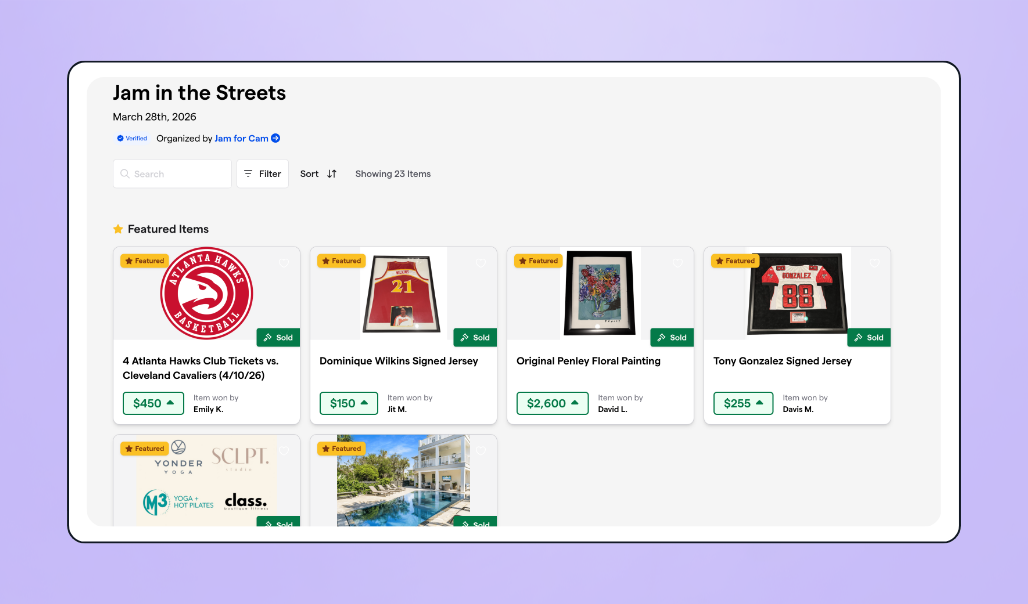
Here’s where Givebutter fits across both formats:
- Silent auctions: Full support for online bidding, item management, automated outbid notifications, and integrated checkout.
- Live auctions: Handles item display, winner tracking, and payment processing. It also has live display tools to showcase campaign activity in in-person auctions.
- In-person, online, or hybrid: All three formats are supported, so your event setup doesn’t box you in.
And because Givebutter is an all-in-one fundraising platform, your auction data connects directly to your donor records and fundraising history.
Need help choosing whether a live, silent, or hybrid auction is right? There’s guidance in the video below:
5 features that make Givebutter the best silent & live auction software
Good auction software should simplify item management, keep bidders engaged, and make checkout seamless. Here’s what Givebutter’s auction platform delivers.

1. Online & mobile bidding📱
Most people at your auction will bid on their phones. Givebutter’s modern, mobile-optimized design makes it easy for anyone to explore, sort, filter, and bid on items from any device.
Auction pages update in real time, so bidders always see the latest bids and newly added items as soon as they go live.
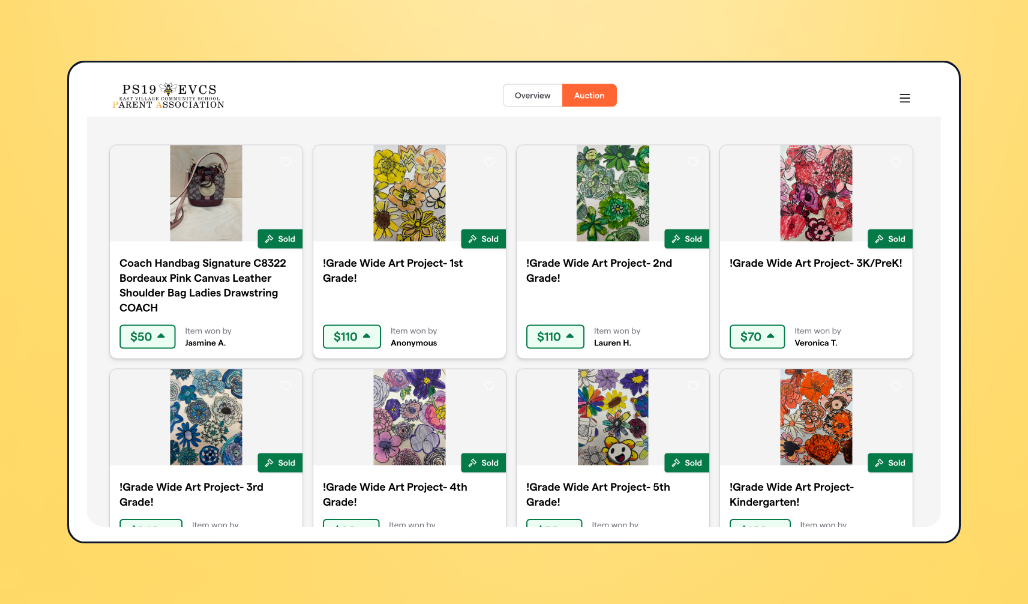
Here are three features that keep the bidding active:
- Automated (max) bidding: Bidders set a maximum amount they’re willing to pay, and Givebutter automatically places incremental bids on their behalf until that limit is hit. This means they stay competitive without having to monitor the auction manually.
- Outbid notifications: The moment a bidder gets topped, they receive an instant notification with a direct link back to the item, making it easy for them to jump back in and update their bid before time runs out.
- QR code bid sheets: For in-person live auctions, Givebutter provides free QR code bid sheets that let attendees scan and bid from their phones in seconds. Every bid placed is tracked in real time, so your team always knows exactly where each item stands.

2. Easy item management 🖼️
Whether you’re running a silent auction with 50 items or a live auction with a handful of high-value lots, Givebutter allows you to manage your items easily.
Givebutter lets you add unlimited items, organize them into custom categories, and configure each one with descriptions, photos, videos, starting prices, bid increments, and individual start and end times.
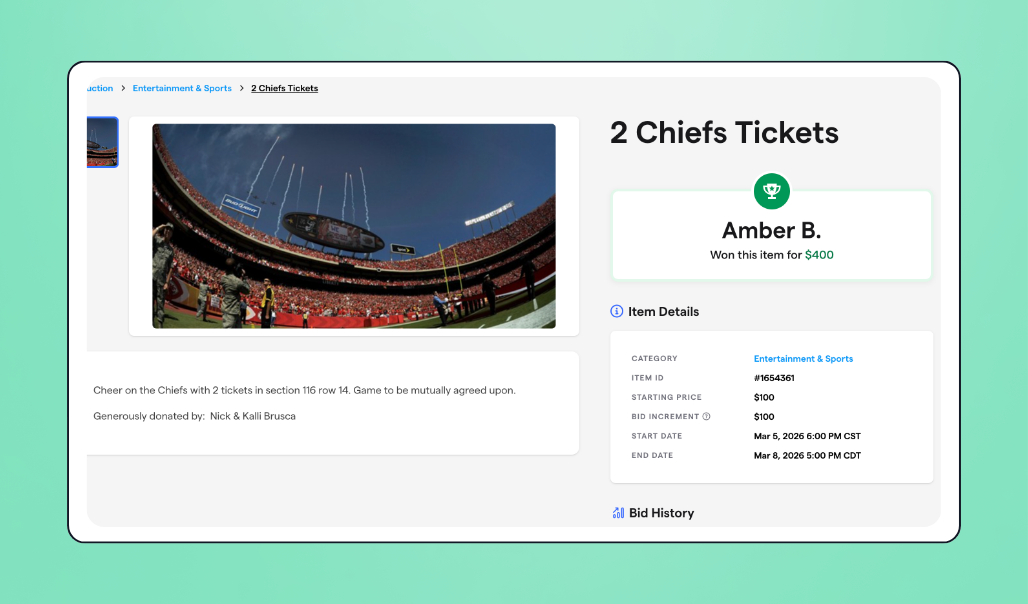
The selling format options give you control over how each item performs:
- Fixed price/Buy-It-Now: This allows you to sell an item immediately at a set price, which is useful when you want to move something fast without opening it to bidding.
- Reserve pricing: This lets you set a minimum sale price so that an item won’t go to a winner for less than it’s actually worth.
- Quantity options: This lets you offer multiples of the same item, which is handy for experience packages, gift cards, or anything you have more than one of.
You can also toggle items between public and private, and specify fulfillment details so your team knows exactly what needs to be shipped, picked up, or delivered after the auction closes.
3. Seamless checkout & payment processing 💳
Givebutter handles payments automatically, so your team doesn’t have to track down auction winners after the event.
When bidders register, you can require them to enter their payment and shipping information upfront. Once the auction closes, Givebutter either charges winners automatically or sends them an email prompt to complete checkout themselves—whichever you prefer.
Here’s how the checkout process works:
- Automatic charges: Winners are billed as soon as the auction ends, without any manual follow-up from your team.
- Checkout reminders: If you opt for self-service checkout instead, Givebutter sends automated payment reminders until the transaction is complete.
- Itemized receipts: Winners receive a full breakdown of what they won, including item cost, shipping, and any processing fees.
- Fulfillment tracking: Your team can mark items as collected or shipped directly from the dashboard, and flag any uncollectible bids for accounting purposes.
All payment data feeds into Givebutter’s broader platform, so your donor records stay up to date without any manual reconciliation after the event.

4. Donor data & CRM sync 👥
When you use a dedicated auction platform, your winner and payment data live in one tool while your donor records live in another. Reconciling the two manually takes time, and details may get lost in the process.
With Givebutter, your donor CRM is in the same platform you use for auctions, so every bid, payment, and winner record automatically connects to the corresponding donor profile. Each profile tracks contact information, giving history, communication preferences, transaction records, and event participation, all updated in real time as your auction runs.
For example, if a donor wins a $500 item at your gala auction, that transaction is already in their profile by the time you’re ready to send a thank-you email—no need to export, import, or cross-reference spreadsheets.
This kind of consolidation keeps your nonprofit tech stack lean, reduces spending on multiple tools, and saves your back-office team the headache of constantly switching between platforms.
5. Transparent, nonprofit-friendly pricing 💸
Dedicated auction platforms can run anywhere from $1.5K to over $3K a year—and that’s before transaction fees. For smaller nonprofits running one or two events a year, those costs are hard to justify.
Givebutter, on the other hand, is completely free. You get access to the full auction software, donor CRM, fundraising pages, donation forms, and more without paying a platform fee.
Auction pricing does vary slightly depending on one setting: auto-charge. When auto-charge is off, you can enable optional donor tips—and thanks to the Givebutter Guarantee, your nonprofit pays $0 in platform or processing fees. If donors don’t cover the fees, Givebutter will.
When auto-charge is on, optional tips aren’t available, so a flat 3% platform fee applies plus standard processing fees (2.9% + 30¢ per transaction). You can require donors to cover those fees, make them optional, or absorb them yourself.
Either way, you’re paying a fraction of what dedicated auction platforms charge—if anything at all.
See our live silent auction software in action: Unity Farm Sanctuary
Unity Farm Sanctuary (UFS) is a rescue farm in Sherborn, Massachusetts, that has been giving animals a second chance for over eight years. Before Givebutter, their donation portal was complicated and uninspiring for supporters. They needed a modern fundraising platform that made giving easy and enjoyable, and Givebutter delivered.
One of their most creative campaigns is their team fundraising page, where supporters can select a “team” of animals to support—goats, sheep, cows, birds, alpacas, llamas—then pick a favorite rescue animal and make a donation in their honor, with the option to add a personal note.
Their Art for the Animals silent auction took things even further. UFS had their resident rescued animals create original paintings using animal-safe paint, then listed the pieces as auction items on Givebutter. The campaign raised over $5K and exceeded its goal by 521%.
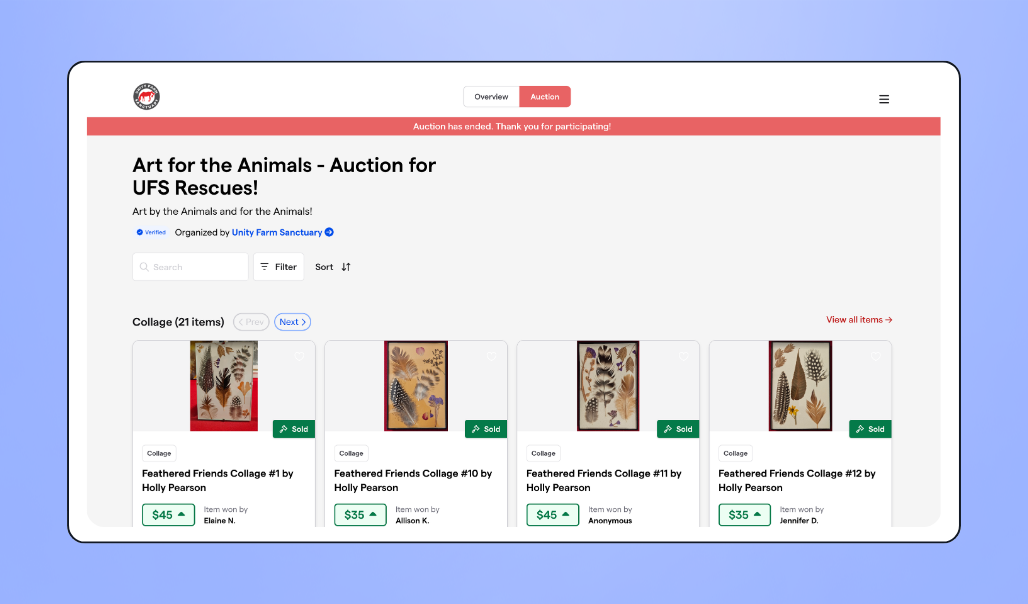
In six months on Givebutter, UFS raised over $150K across campaigns, events, and auctions, with more than 750 supporters taking part.
Kathy Halamka, UFS Executive Director and Co-Founder, sums up what makes the platform work for their community:
“At Givebutter, we love the way that the donor’s in the driver’s seat. They get to pick the tips. They get to pick whether or not they cover any of the fees. Do they want to be monthly? Do they want to do something specific? They get to control it.”
Ready to run your best auction yet? It’s free with Givebutter
Whether you’re planning a silent auction, managing a live event, or running a hybrid fundraiser, Givebutter gives you the tools to pull it off without the hefty price tag. You get features like online and mobile bidding, item management, and seamless checkout, all in one free platform.
What’s more, Givebutter is also a powerful donor CRM, which means your auction data syncs directly with donor profiles, so your team isn’t switching between tools or spending hours manually reconciling winner and payment information after the event.
Getting started with Givebutter takes minutes.
Run your next auction for free
Sign up for your free Givebutter account today and see why Unity Farm Sanctuary (and thousands of other nonprofits) trust us to run their auctions, manage their donors, and raise money for worthy causes.
FAQs
1. What is the best free live auction software for nonprofits?
Givebutter is the top-rated free auction platform for nonprofits. It covers online and mobile bidding, item management, automated checkout, and donor CRM, all without a platform fee. For live auctions specifically, Givebutter handles item display, winner tracking, and payment processing.
If you need full auctioneer tools like real-time paddle bidding, you’ll want a dedicated live auction platform. But for most nonprofits, Givebutter covers everything they actually need.
2. What’s the difference between live and silent auction software?
Silent auction software manages online bidding, outbid notifications, and automated checkout over a set period of time, where bidders browse and bid at their own pace.
Live auction software, on the other hand, is built for real-time, auctioneer-led events where bids are called out and recorded as they happen, often with paddle bidding and live room displays.
3. Can Givebutter run a live auction?
Yes, with some important context. Givebutter supports live, in-person auctions at events: you can showcase items beforehand, accept bids on-site, record winners, and process payments when the event wraps up. It’s a great fit for the silent auction table at your annual gala or community fundraiser.
Givebutter isn’t auctioneer software in that there’s no paddle bidding or live bid-calling tools. What it does handle is the logistical side of a live auction, such as showcasing items beforehand, recording winners, and processing payments after the event closes.
For nonprofits that need a simple, cost-effective way to manage their live auction without investing in a dedicated platform, Givebutter is a solid option.
4. How much does nonprofit auction software cost?
Dedicated auction platforms typically run anywhere from $1.5K to over $3K per year, not including transaction fees. Givebutter, however, is completely free.
Auction pricing varies slightly based on your auto-charge setting. With auto-charge off, you can enable optional donor tips and pay $0 in platform or processing fees, thanks to the Givebutter Guarantee. With auto-charge on, optional tips aren’t available, so a flat 3% platform fee applies plus standard processing fees—with full flexibility over who covers them.
5. Does Givebutter’s auction software work for hybrid events?
Yes. Givebutter supports in-person, online, and hybrid silent auction formats. For in-person attendees, free QR code bid sheets let guests scan and bid from their phones in seconds. Online bidders can browse and place bids from any device.
All bids, regardless of how they’re placed, are tracked in one place in real time, so your team always has a complete picture of activity across both audiences.
Share this article







.svg)
.svg)


