

.svg)
.svg)
.svg)
.svg)
.svg)
.svg)
.svg)
.svg)
.svg)


.svg)
.svg)
.svg)
.svg)
.svg)
.svg)
.svg)
.svg)

.svg)
.svg)
.svg)

.svg)

.svg)
.svg)
.svg)
.svg)
.svg)


.svg)
.svg)
.svg)
.svg)
.svg)
.svg)
.svg)





.svg)



%20(1).png)

Platforms like Mailchimp and Constant Contact are popular choices for sending nonprofit emails. But sending messages is only part of the job. Nonprofits also need to organize donor data, segment supporters, and understand how their communications influence giving.
When email and fundraising live in separate systems, connecting that information can require extra tools and manual work. To help you choose the right solution, we compared four leading email marketing platforms for nonprofits based on pricing, ease of use, CRM capabilities, segmentation, and fundraising features.
4 best email marketing platforms for nonprofits at a glance
1. Givebutter: Best free all-in-one email, CRM, & fundraising platform
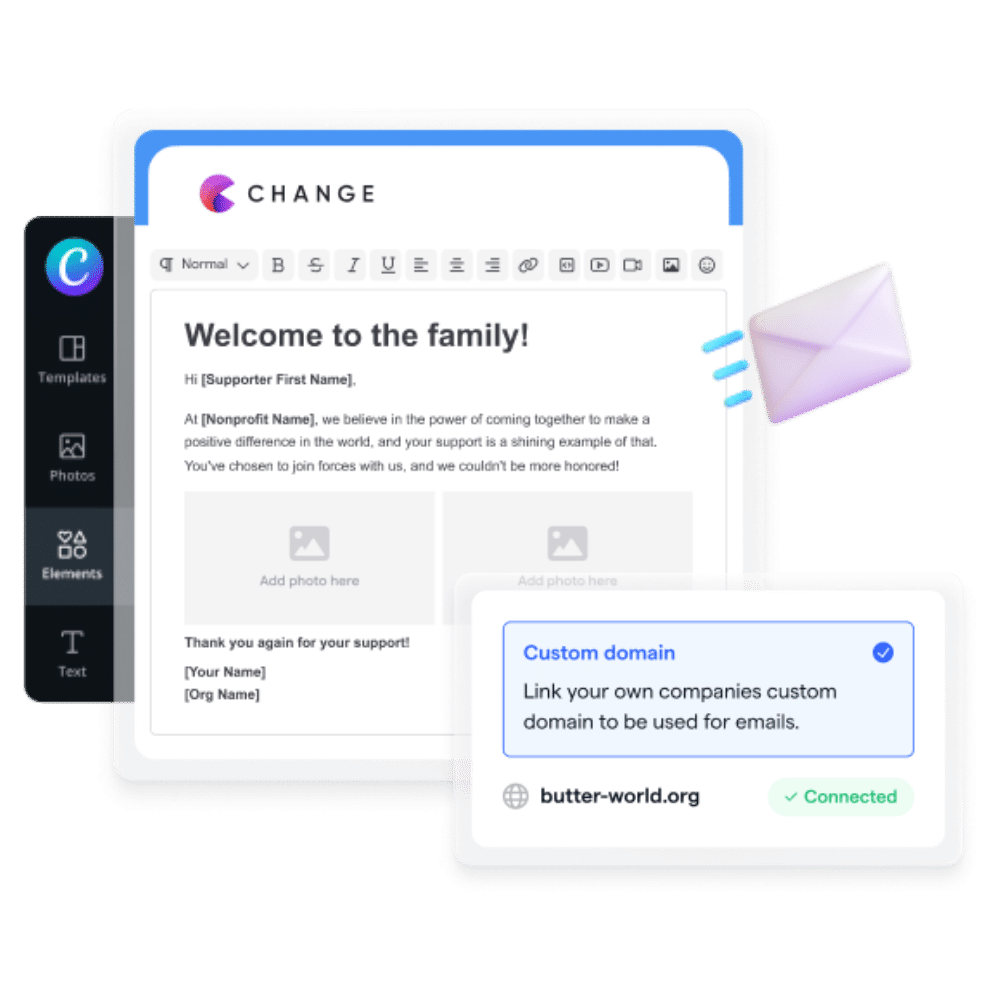
Givebutter’s core email marketing tools are included in every account. Nonprofits can send unlimited email blasts, segment contacts using donor data, and track how their communications influence fundraising—all without moving information between separate platforms.
Givebutter combines email marketing with a nonprofit CRM, donation forms, and fundraising pages, helping teams communicate with supporters and raise funds in one place.
.webp)
💰 Price: Core email features are free to use; for more advanced email workflows and reports, Givebutter Plus starts at $29/month
📣 Standout features:
- Unlimited contacts and email blasts
- CRM-connected segmentation
- Custom email domains
✅ Best for: Small-to-mid-sized nonprofits that want to manage email, donor data, and fundraising in one place
🔥 Our take: Givebutter is a strong fit for nonprofits that want their email activity connected directly to donor records and fundraising results instead of syncing separate tools.
What users like about Givebutter 👍
Users frequently mention that Givebutter makes it easier to replace separate email, event, and donor-tracking tools with one central platform, reducing the need to switch between systems or reconcile data manually.
Start emailing donors for free
2. Mailchimp: Best for name recognition & advanced automation
Mailchimp is one of the most recognizable email marketing platforms available to nonprofits. Its paid plans offer a broad template library, powerful automation tools, and extensive integrations. However, its limited free plan and contact-based pricing can make it costly as donor lists grow.
.webp)
💰 Price: Free for up to 250 contacts and 500 email sends per month; paid plans start at $13/month; 15% nonprofit discount available
📣 Standout features:
- Automation workflows
- A/B testing
- Advanced analytics
- 300+ integrations
✅ Best for: Established nonprofits with dedicated marketing staff that need advanced automation and broad third-party integrations
🔥 Our take: Mailchimp offers polished templates, sophisticated automation, and extensive integrations. However, its limited free plan, contact-based pricing, and lack of nonprofit-specific fundraising tools may make it less practical for smaller organizations.
What users like about Mailchimp 👍
Users frequently mention that Mailchimp’s drag-and-drop email editor and ready-to-use templates make creating campaigns simple, allowing teammates without professional design experience to build polished emails.

3. Constant Contact: Best for email alongside event management
Constant Contact combines email marketing with event promotion, registration, and payment collection, making it a strong option for nonprofits that regularly host fundraisers, workshops, or community events.
.webp)
💰 Price: From $12/month; pricing scales with plan, contact count, and email volume. Eligible nonprofits can save up to 30% with annual prepayment.
📣 Standout features:
- Event registration and payments
- Email templates
- Contact segmentation
- Phone and chat support
✅ Best for: Nonprofits that run frequent events and want email promotion and registration tools in one platform
🔥 Our take: Constant Contact is an approachable option for nonprofits that want to promote events, manage registrations, and communicate with supporters from one place. However, costs rise with contact count and send volume, and paid event transactions carry additional fees. It also isn’t a nonprofit-specific donor CRM or fundraising platform, so organizations may still need separate tools to manage donor relationships and campaigns.
What users like about Constant Contact 👍
Users often highlight that Constant Contact makes it straightforward to segment contact lists and send event updates or recurring newsletters. Its simple unsubscribe process can also support transparent, trustworthy donor communications.
4. Brevo: Best for large lists & infrequent campaigns
Brevo (formerly Sendinblue) is a marketing and customer relationship platform with email, transactional messaging, SMS, automation, landing pages, and sales tools. Its free plan supports up to 100,000 stored contacts but limits users to 300 email sends per day.
.webp)
💰 Price: Free (300 emails/day); Starter from $9/month; Standard from $18/month. Registered NGOs may qualify for 20% off paid plans.
📣 Standout features:
- Transactional email and SMS
- Multichannel automation
- Prepaid email credits
- Landing pages on Standard and higher plans
✅ Best for: Nonprofits that maintain large supporter databases but send infrequent campaigns and can use daily batches, a paid plan, or prepaid email credits
🔥 Our take: Brevo’s generous free contact-storage limit and prepaid email credits can work well for nonprofits that email occasionally. However, the 300-email daily cap means organizations cannot send a time-sensitive appeal to a large list all at once on the free plan. Lower-paid tiers also have contact limits, so compare both monthly email volume and stored contacts when estimating costs. Brevo includes basic tools for managing leads and deals, but it is not a nonprofit-specific donor CRM, and its marketing landing pages do not replace dedicated donation and fundraising pages.
What users like about Brevo 👍
Reviewers say Brevo makes it straightforward to create and send flyers and newsletters. They also appreciate the ability to customize colors and branding while creating mobile-friendly email designs.
The best platform fit goes beyond email
There’s no single best email marketing software for nonprofits. The right choice depends on your team, audience, and workflow. Start by considering who will manage it and what else they’re responsible for.
If your nonprofit has fewer than roughly 1,000 donors and one staff member juggling communications alongside fundraising and events, an all-in-one platform will often remove more friction than specialized email software. If you have 5,000+ donors, a dedicated email strategist, and complex automation or testing needs, separate tools may be worth the added cost and integrations.
For leaner teams, Givebutter offers email alongside its free nonprofit CRM, fundraising, and event tools. That means you can use donor activity to shape your outreach without paying another monthly software bill or syncing separate lists.
If that sounds like the right fit, try Givebutter for free.
FAQs about the top email marketing platforms for nonprofits
What is the best free email marketing platform for nonprofits?
“Free” means something different on every platform. Mailchimp’s free plan supports up to 250 contacts and 500 monthly email sends, while Brevo lets you store up to 100,000 contacts but limits sending to 300 emails per day. Givebutter’s free core platform includes unlimited contacts and email blasts, making it worth considering if you also want built-in donor management and fundraising tools.
What email marketing software do nonprofits use most?
There isn’t one platform used by every nonprofit. Mailchimp and Constant Contact are familiar standalone options, while organizations that want communications connected to donor and fundraising data may choose nonprofit-specific marketing software like Givebutter. The right choice depends more on your list size, staff capacity, budget, and workflow than overall popularity.
Should nonprofits use an all-in-one platform or separate email and fundraising tools?
It depends on your team and email strategy. A nonprofit with fewer than roughly 1,000 donors and one person managing communications, fundraising, and events may save time and money with an all-in-one platform.
An organization with 5,000+ donors, a dedicated email strategist, and complex automation or testing needs may benefit from specialized software. These numbers are useful starting points—not fixed rules—and organizations choosing separate tools should also account for integration costs, training, and ongoing data syncing.
Share this article








.svg)
.svg)


