.svg)
.svg)
.svg)
.svg)
.svg)
.svg)
.svg)
.svg)
.svg)


.svg)
.svg)
.svg)
.svg)
.svg)
.svg)
.svg)
.svg)

.svg)
.svg)
.svg)

.svg)

.svg)
.svg)
.svg)
.svg)
.svg)


.svg)
.svg)
.svg)
.svg)
.svg)
.svg)
.svg)





.svg)


.webp)
%20(1).png)

GiveWP is a popular WordPress donation plugin, especially for nonprofits that want to collect online gifts directly through their website. For some teams, it does the job well.
For others, the reality looks different. As fundraising needs grow, so does the number of add-ons, upgrades, and technical decisions required to keep everything running smoothly. What starts as a simple donation form can turn into a stack of extensions, annual renewals, and ongoing maintenance just to unlock basic functionality.
If you’re looking for a more flexible, easier-to-manage way to fundraise—without relying on a growing list of plugins—this guide is for you.
In it, we break down the 5 best GiveWP alternatives. They are:
- Givebutter: A free, all-in-one fundraising alternative to GiveWP
- Charitable: A solid donor-centric experience
- Paymattic: An alternative method of giving
- PayPal: A payment software for simple mobile giving
- WooCommerce: Commercial giving made easy

Why nonprofits like yours look for GiveWP alternatives
GiveWP is a widely used WordPress plugin designed for online fundraising, but it’s not always the easiest or most efficient option for every nonprofit. These are the most common reasons teams start looking elsewhere.
Complexity driven by add-ons 🧩
GiveWP relies heavily on paid add-ons to unlock features like recurring donations, advanced forms, integrations, and reporting. While that flexibility works for some teams, others find that managing extensions, compatibility, and custom code adds friction fast.
When a user was asked: What do you dislike about GiveWP?, they shared:
It took a while to get assistance because I was asking for custom-code assistance with an extension I was trying to work out with one of the paid add-ons which required the developer's input. — Verified User in Non-Profit Organization Management [G2]
For teams without in-house technical support, reliance on add-ons can slow down fundraising instead of supporting it.
Steep setup and learning curve 🧠
Several users point out in public reviews that getting GiveWP fully set up isn’t as simple as they’d like and can be quite complicated to use. Between configuring forms, managing extensions, and navigating WordPress itself, the platform can feel overwhelming—especially for smaller teams.
Take this feedback, for instance. When asked to list the cons of using GiveWP via a third-party review site, a user wrote:
Pretty complicated to use. There are so many features, setup is not trivial. — Michael D., Communications Director [Capterra]
Instead of launching quickly, teams may spend more time learning the system than raising funds.
Form builders that take time to master 📝
Real user reviews from third-party sites suggest that even GiveWP’s visual tools, like their drag-and-drop form builder, can take time to get comfortable with:
The Visual Form Builder took too long to get up to speed on, and problems occurred. — Lise Stampfli Torme [Trustpilot]
When donation forms are so central to fundraising, delays or technical issues can directly (and negatively) impact results.
Creeping costs with upgrades and add-ons 🧱
While the GiveWP plugin offers a free plan, nonprofits may need paid add-ons to unlock basic features like recurring donations, advanced forms, integrations, or better reporting.
Each add-on typically costs $79–$199 per year, and as fundraising needs grow, so does the list of extensions required to keep everything working the way teams expect. What starts as a low-cost solution can quietly turn into a recurring expense that’s difficult to justify.
For teams watching every dollar, add-on creep can overtake the budget.
The #1 GiveWP alternative: Why nonprofits choose Givebutter
Givebutter is an all-in-one platform that offers robust fundraising features, including a seamless WordPress donation plugin.
Nonprofits can use Givebutter to accept various online giving options such as debit/credit, Cash App, Venmo, PayPal, Google Pay, and even donor-advised funds through custom donate buttons, unlimited donation forms, engaging fundraising events, and more.
What sets Givebutter apart is its extensive range of tools, including donation management software and silent auction software—all available for free. In contrast, other WordPress plugins (like GiveWP) require nonprofits to pay for these premium features or find a new solution altogether.
Givebutter vs. GiveWP: A side-by-side comparison ⚖️
Why Givebutter is the best GiveWP alternative ✅
GiveWP makes sense if you want your fundraising to live entirely inside WordPress. But for many nonprofits, that also means spending time managing plugins, add-ons, updates, and edge cases just to keep donations running smoothly.
Givebutter is easier to live with day to day. You can still use it on WordPress—there’s a plugin for embedding forms and campaigns—but fundraising doesn’t depend on your site setup. Campaigns, donor data, emails, events, and reporting all live in one place, so nothing breaks when your site changes.
That also means fewer moving parts. You don’t have to decide which extensions to buy, configure, or maintain to unlock basic fundraising needs. Recurring donations, events, peer-to-peer fundraising, and donor management are already there, ready to use.
And because Givebutter’s core tools are free, teams can launch fundraisers, experiment, and grow without watching add-on costs creep up over time.
The setup was very easy and intuitive. We love that we're not paying a huge fee for the platform, and it has been easy to train volunteers to help out, too. The donor-facing interface is also user-friendly, and we had no complaints about getting registered for the event. — Amy S. [G2]

Givebutter’s standout features 💰
With Givebutter, you don’t have to make tradeoffs between the features you need to fundraise and the ones you can afford. All core fundraising and donor management features are free to use from day one. No add-ons required.
Givebutter offers unlimited:
- Donor management and CRM (add as many contacts as you need at no extra fee)
- Email marketing
- Analytics
- Donation forms and widgets
- Fundraising pages
- Events and auctions
- Secure payment processing
- Mobile app
- Integrations
- 24/7 support
Givebutter is free thanks to optional donor tips.
If donor tips are enabled, nonprofits won’t need to pay any platform fees. Each of your donors will choose whether to help cover processing costs. If they decide not to, the Givebutter Guarantee backs any uncovered fees, so nonprofits always receive the full donation amount.
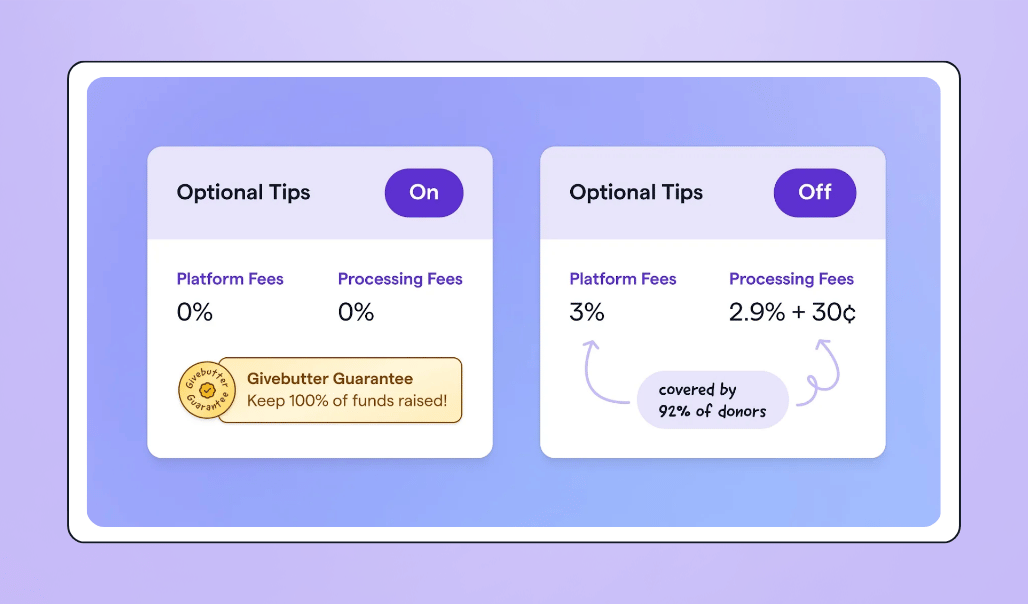
If you'd rather disable tips, a flat 3% platform fee applies alongside standard processing fees (2.9% + 30¢ for cards, 1.9% + 30¢ for ACH).
Givebutter Plus is available for teams that want more—starting at $29/month, it adds text messaging, an advanced email editor, discounted direct mail, and native QuickBooks integration. You will never be pressured to upgrade (just know it’s there if you need it).

See how Givebutter integrates seamlessly with WordPress
Who is Givebutter built for? 🏗️
Givebutter is built for teams that want fundraising to feel straightforward instead of fragile—and that want as many dollars as possible going toward their mission instead of their software.
That usually means small to mid-sized nonprofits, schools, faith-based groups, and community organizations where a few people are responsible for a lot. The same folks setting up donation forms are often running campaigns, sending follow-ups, and keeping donor info organized, without time to troubleshoot plugins or manage add-ons.
Givebutter works well whether fundraising lives on your WordPress site, another website, or mostly through shared links. Teams can embed forms if they want to, but they don’t have to depend on their site setup for fundraising to function.
If your organization wants tools that keep things moving, stay out of the way, and don’t require ongoing technical decisions just to raise money, then Givebutter is built for you.
4 other GiveWP alternatives to consider
While Givebutter is a strong alternative to GiveWP, it’s not the only one. Here are four others worth your consideration.
1. Charitable: A solid donor-centric experience 🥳
Charitable is a highly rated alternative to GiveWP. With over 10,000 active users, the platform is a powerful option for charities looking for a secure, simple, and seamless way to collect donations on their WordPress site.
Far from basic, Charitable goes above and beyond to make the giving experience a stellar one by allowing users to upload their own avatars, send anonymous donations, and even engage with an interactive donor map.
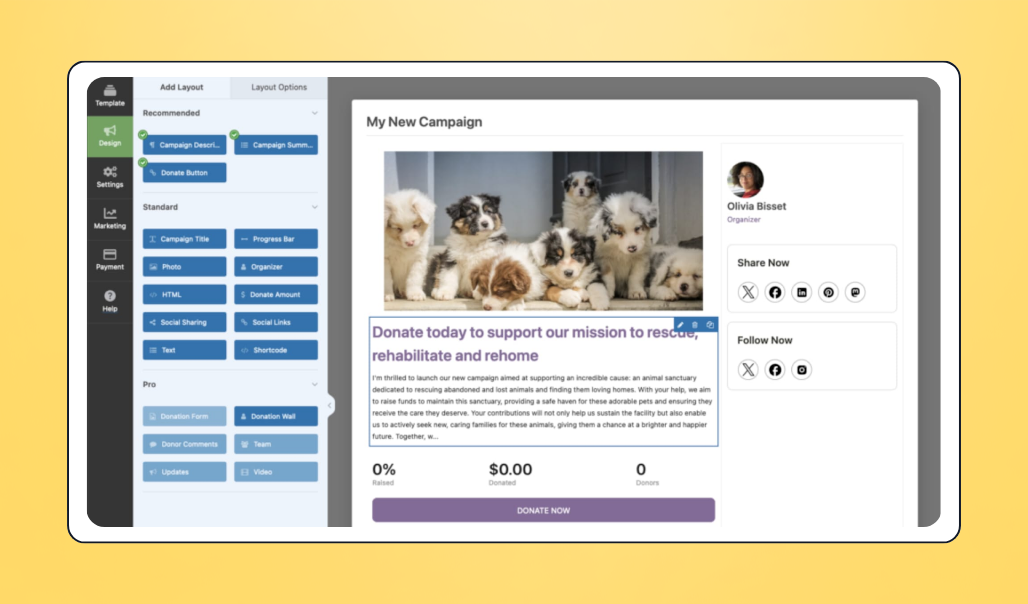
✅ Why Charitable is a good GiveWP alternative: When it comes to price, Charitable and GiveWP are fairly comparable, and they offer some of the same basic features and functionality. But for nonprofits that want a few extra bells and whistles, Charitable is the better choice.
🔥 Charitable’s standout features:
- Peer-to-peer fundraising
- Fundraising report
- Offline payments
- Pre-made donation pages
💰 Cost: Charitable pricing ranges from $149-$599/year, and offers a 14-day money-back guarantee. No matter the pricing plan, Charitable doesn’t charge transaction fees.
2. Paymattic: An alternative method of giving 🎁
Paymattic is an easy-to-use WP donation plugin that offers tons of great features like recurring donation management and report functionality. But what makes Paymattic stand out from competitors is its host of alternative payment methods.
The platform offers preferred billing intervals, guest donations, custom giving amounts, and supports more than 135 currencies.
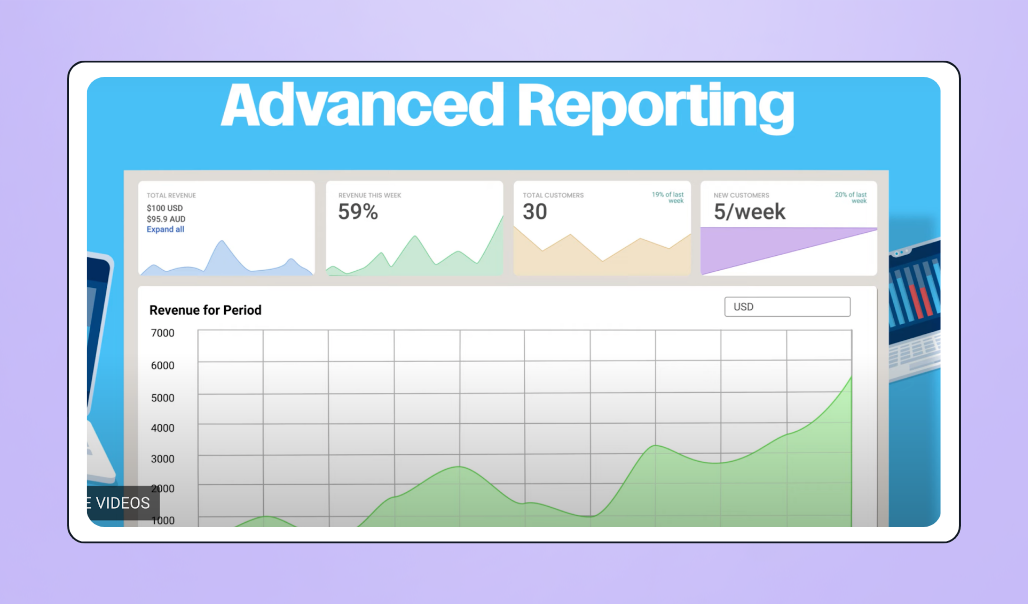
✅ Why Paymattic is a good GiveWP alternative: Compared to GiveWP, Paymattic has similar functionality at a more affordable price point. Plus, Paymattic is sleeker and more user-friendly, too.
🔥 Paymattic’s standout features:
- Currency switcher
- Tabular donation items
- One-time and recurring donations
💰 Cost: Paymattic offers a free basic plan, with paid plans ranging from $4.99-$19.99/month. In comparison to GiveWP, Paymattic is a much more affordable option for small nonprofits.
3. PayPal: Payment software for simple mobile giving 🤑
PayPal is a common payment processor that many nonprofits use to accept donations on their websites and fundraising forms. An easy plugin with great brand recognition—which can help bring in more contributions—this platform offers lots of integrations and even a discount for charities.
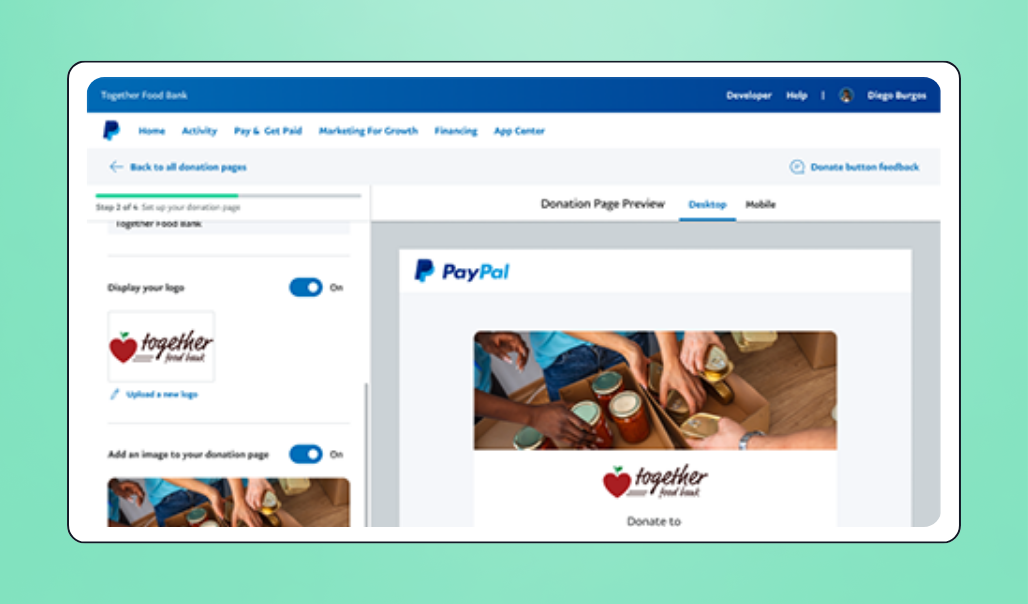
✅ Why PayPal is a good GiveWP alternative: PayPal works well for nonprofits that mainly need a trusted way to collect donations without managing a full WordPress fundraising setup. Compared to GiveWP’s plugin-based approach, PayPal is faster to implement and doesn’t require ongoing site maintenance.
🔥 PayPal’s standout features:
- Mobile-friendly checkout experience
- Easy website embeds and integrations
- Support for recurring donations
- Discounted processing rates for verified nonprofits
💰 Cost: Verified charities get access to PayPal’s rate of 1.99% + $0.49 per donation.
4. WooCommerce: Commercial giving made easy 🛍️
WooCommerce is an ideal plugin for, you guessed it, commerce sites. For nonprofits that sell products or services as part of their fundraising technique and need a simple plugin for their online store or product pages, WooCommerce is a great fit.
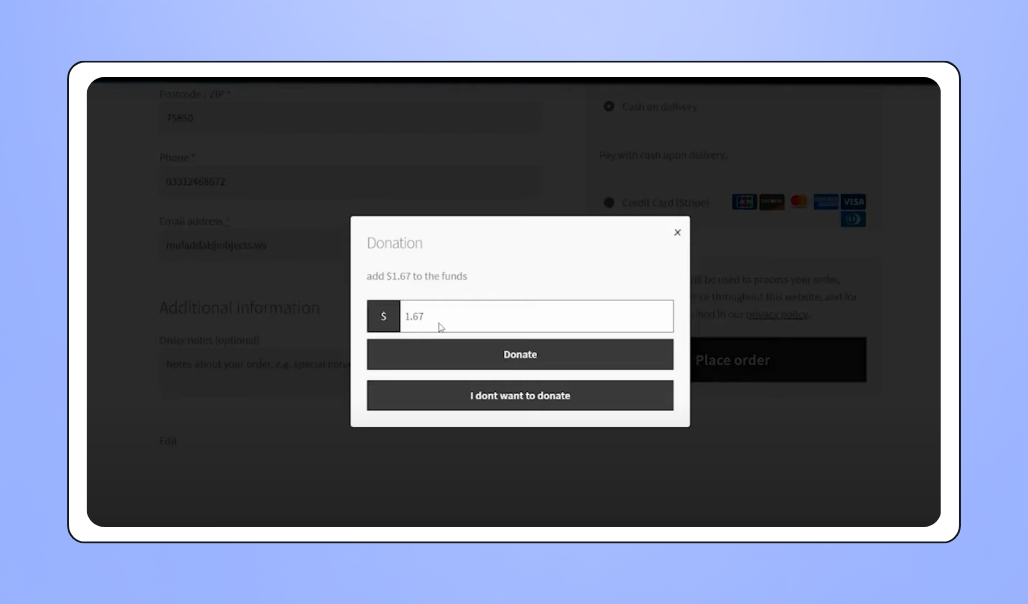
✅ Why WooCommerce is a good GiveWP alternative: WooCommerce is a better fit for nonprofits focused on selling items rather than collecting traditional donations. Compared to GiveWP’s donation-first tools, WooCommerce treats fundraising like commerce, making it easier to manage products, checkout, and inventory in one place.
🔥 WooCommerce’s standout features:
- Product and service sales through WordPress
- Flexible checkout and payment options
- Large extension marketplace for customization
- Integrates with Stripe, PayPal, and other processors
💰 Cost: WooCommerce pricing starts at $21/month, with the most expensive plan costing $492.75/month. The platform also offers a 30-day money-back guarantee.
How to choose your GiveWP alternative
All WordPress donation tools solve the same core problem. The real difference is how much work they create for your team. Consider these questions to help you decide which one is your perfect match.
How tightly do you want fundraising tied to WordPress? 🧩
Some platforms live entirely inside WordPress, which means plugins, updates, and compatibility checks become part of your fundraising workflow. Others let you embed donation forms and campaigns while keeping fundraising operations separate from your website setup.
How many add-ons are you comfortable managing? 🧱
Many GiveWP alternatives rely on extensions to unlock features like recurring giving, integrations, or advanced reporting. Before switching, look closely at what’s included by default versus what requires paid add-ons over time.
Are you fundraising occasionally or year-round? 📆
If you only collect one-off donations, a simple plugin may be enough. But if you plan to run campaigns, events, peer-to-peer fundraisers, or recurring programs, choosing a platform that keeps everything connected will save time later.
What will the platform actually cost over time? 💸
Add-ons, renewals, transaction fees, and support tiers often change the real cost after the first year. Make sure you understand how pricing scales as your fundraising grows.
Better yet, pick a platform where you don’t have to pay to access essential fundraising features at all.
Accept more donations on WordPress with Givebutter
GiveWP is a great option for some nonprofits that need a quick fix for accepting donations on their site, but you will need to consider the price if its most basic functionality doesn’t meet your needs.
There are plenty of other WordPress plugins that are more affordable.
Givebutter offers the same range of features as GiveWP, without any of the price. Simple and fun, Givebutter is one of the highest rated when it comes to customer service and ease of use. And because Givebutter is truly an all-in-one solution, nonprofits can bring all of their fundraising efforts in one central place, all for free.
Sign up for your free Givebutter account today and see why more and more nonprofits are making the switch to Givebutter from GiveWP.
FAQs about GiveWP alternatives
Can I switch away from GiveWP without rebuilding my entire website?
Definitely. Many GiveWP alternatives, like Givebutter, let you embed donation forms or campaign pages directly into your existing site, including WordPress, without rebuilding pages or changing your theme.
Do I need to keep using WordPress to fundraise if I leave GiveWP?
Not necessarily. Some tools are WordPress-native, while others work independently and can be embedded anywhere. If you want more flexibility, a platform-based alternative can reduce your reliance on plugins and site maintenance.
Will I lose donor data if I move to a new platform?
In most cases, no. Reputable GiveWP alternatives offer import tools or migration support so you can bring over contacts, donation history, and recurring gifts. Givebutter makes importing donor data as smooth as butter.
Share this article








.svg)
.svg)