

.svg)
.svg)
.svg)
.svg)
.svg)
.svg)
.svg)
.svg)
.svg)


.svg)
.svg)
.svg)
.svg)
.svg)
.svg)
.svg)
.svg)

.svg)
.svg)
.svg)

.svg)

.svg)
.svg)
.svg)
.svg)
.svg)


.svg)
.svg)
.svg)
.svg)
.svg)
.svg)
.svg)





3 hr
Create a 90-day fundraising plan from your donor data
Use the donor data already in Givebutter to identify your top priorities, build an outreach plan, and put one part of that plan into motion with an automated workflow.
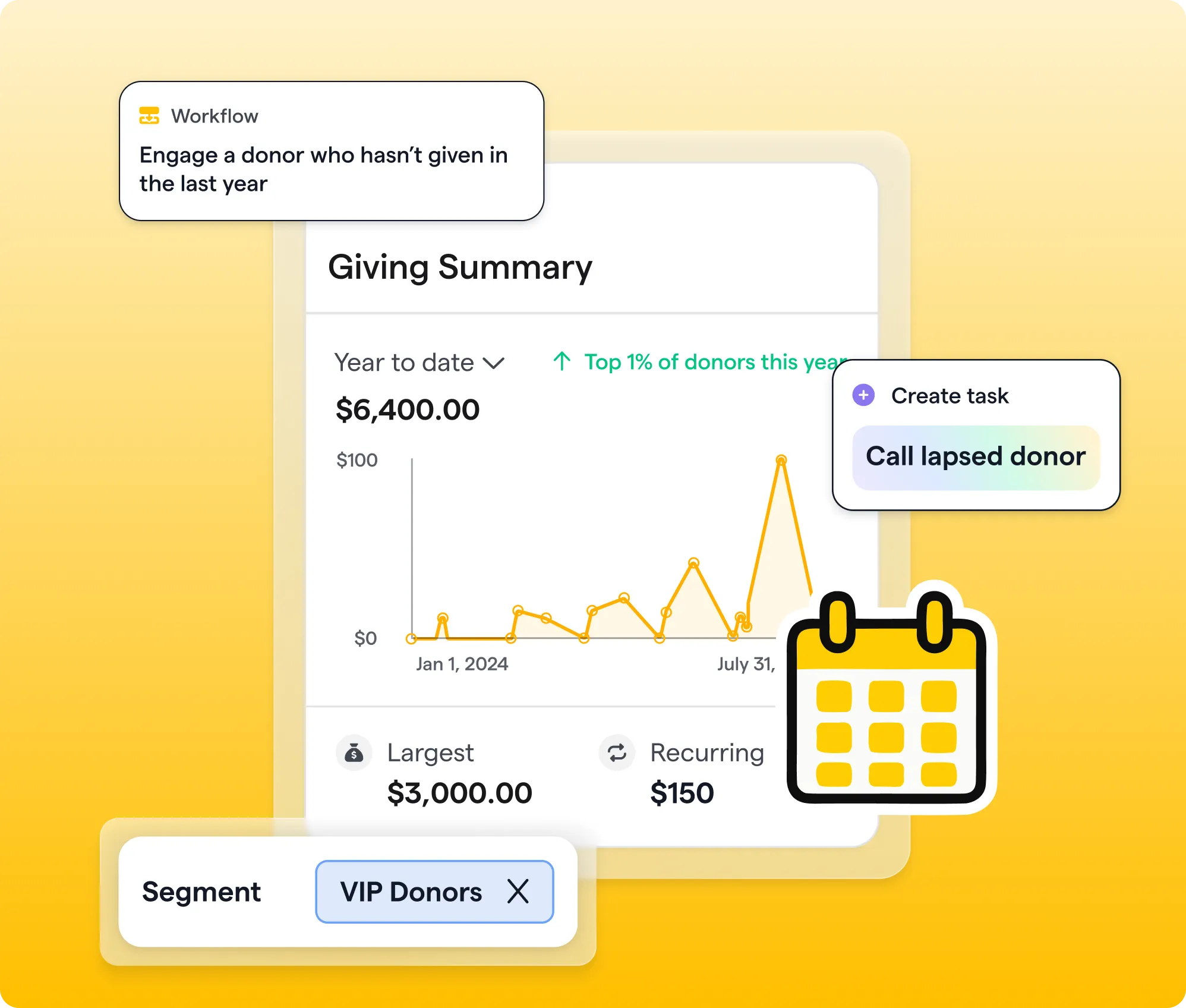
What you'll create
- A snapshot of your current fundraising and donor health
- Two or three saved donor segments
- A focused 90-day outreach plan
- One active workflow from your plan
Features you’ll use
- CRM
- Reporting (Givebutter Plus)
- Workflows (Givebutter Plus)
- Optional: Video messages (Givebutter Plus)
- Optional: AI connectors
Before you begin
- Confirm that you have Admin access to your Givebutter account.
- This playbook uses Givebutter Plus features. If you don’t already have Givebutter Plus, start your free trial before you begin.
- Make sure you have at least a few months of donor and transaction activity in Givebutter. If you’re new to Givebutter, import your contacts and transaction history before starting.
- Choose one fundraising goal to focus on for the next 90 days.
- Optional: Want AI help with this playbook? Connect Givebutter to ChatGPT or Claude before starting. You can find more guidance in Wildcard: Bring your nonprofit’s idea to life →
Start here
Get a quick walkthrough of what you’re about to create, then follow the steps below to bring it to life in Givebutter


Visit our help center or contact us.
See the big picture
Start with the ready-made “Giving Overview” report in your Givebutter dashboard. Review your revenue, donor count, average gift, and top donors, then ask:
- Is your donor count growing or shrinking?
- Is your average gift changing?
- Which campaigns are driving your strongest results?
- Are a small number of donors responsible for a large share of your revenue?
Next, open the “Donor Health” report to see who is still giving, who has stopped, and where retention may be slipping.
Adjust the date range, compare results with the previous period, or narrow the report to a specific campaign. You’re not trying to inspect every number. Look for one or two patterns that could meaningfully shape your fundraising priorities over the next 90 days.
Before moving on, write down:
- One fundraising strength you can build on
- One donor trend or gap you want to address
Find your best opportunities
Use smart filters in your Givebutter CRM to find two or three groups connected to the patterns you identified.
Enter one request at a time, and make the criteria specific. Include exact campaign names, dates, donation counts, or amounts instead of phrases like “last year” or “recently.”
Try prompts like:
- Show contacts who donated to [campaign name] but haven’t donated since [date].
- Show previous donors whose last successful donation was before [date].
- Show contacts who don’t have any successful transactions.
Review the filters before applying them to confirm that the dates and transaction details match your request. If they don’t, refine the prompt or adjust the filters manually. Then, save each filtered group as a segment.
Open three to five priority profiles to review their giving history, activity, communication preferences, and notes. Fill in or flag anything missing before outreach begins.
Build your 90-day plan
Use the donor communications plan template to map your outreach for each saved segment. Focus on the next 90 days instead of completing the entire annual calendar. Use the template’s donor group ideas, SMART goal examples, and communications checklist as needed.
For every group, decide:
- Goal: What do you want to accomplish with this group?
- Message and next step: What do they need to hear, and what action should they take?
- Channel: Will you use personal email, phone, mass email, or direct mail?
- Timing: When will outreach and follow-up happen?
- Owner: Who is responsible for each action?
Map those actions across three phases:
- Days 1–30: Start with your warmest segment and most personal outreach.
- Days 31–60: Follow up, share impact, and nurture the relationships you reopened.
- Days 61–90: Make the next, most relevant invitation, such as donating, attending an event, or becoming a recurring supporter.
Set up your first workflow
Choose one repeatable action from your 90-day plan and turn it into a workflow.
Good starting points include:
- Welcoming a first-time donor
- Re-engaging someone after a period without a gift
- Creating a follow-up task after a high-value donation
- Thanking a new recurring donor
Example: For a lapsed-donor workflow, you might trigger the workflow after a set period has passed since the donor’s last gift, send a thoughtful email, wait before the next action, and create different paths based on whether the donor clicks or gives.
Let the workflow automate the timing, but keep the outreach personal. Write each message with the same care you’d give a one-to-one email, and confirm that every action makes sense for that donor relationship.
Review the trigger, timing, audience, and message. When everything looks right, publish the workflow.
Take it further
For outreach that calls for an especially personal touch, send a short video message directly from the supporter’s contact profile.
Video messages are sent one supporter at a time, making them a strong option for reconnecting with a longtime donor, thanking a major supporter, or welcoming someone back after time away.
Keep each message brief and specific:
- Use the supporter’s name.
- Reference something meaningful from their history.
- Share one recent point of impact.
- End with a relevant next step.
The goal isn’t a perfect production. It’s letting someone see the person—and the genuine care—behind your outreach.
.webp)


.svg)
.svg)


