











Internal controls for nonprofits look different for every organization, depending on their size and resources. For a small team, the reality usually includes just one person opening the mail, recording gifts, paying bills, and reconciling the bank account.
Small nonprofits can’t copy big-organization controls, and they don’t need to. Instead, the goal is for no single person to control a transaction from start to finish, which is possible with the right controls and tools to protect both your money and the people handling it.
⚖️ Disclaimer: This is general information, not financial or legal advice. Consult a qualified nonprofit accountant for guidance specific to your organization.
Key takeaways
- Use teamwork for transactions 🔀Split tasks like who records, approves, pays, and reconciles, even if it’s between just two people.
- Add compensating controls 💪 If you have a two- or three-person team, ask the executive director, treasurer, or a board member to review work completed by someone else.
- Set spending limits & collect receipts for every card purchase 🧾Decide who can spend money for the org, set per-card limits and receipt deadlines, and code each purchase to a fund or grant.
- Have someone outside finance review the books monthly 🔍Ask the ED, treasurer, or a board member to review the bank reconciliation monthly.
- Write down your policies & get board approval 📋Create a document that everyone on your team can refer to and follow.
What are internal controls for nonprofits?
Internal controls, sometimes called nonprofit financial controls, are an ongoing set of rules that protect a nonprofit’s funds from misuse and errors and ensure that all financial records and reporting are accurate. Typically, they include five components from the Committee of Sponsoring Organizations of the Treadway Commission (COSO) framework: control environment, risk assessment, control activities, information and communication, and monitoring activities.
Internal controls create a paper trail, which gives staff and volunteers extra protection if a number looks off. And, of course, they deter fraud. According to the ACFE's Occupational Fraud 2026 Report, more than half of occupational fraud cases involved a lack of internal controls or an override of existing ones.
Sample internal controls for nonprofits, area by area
Organizing controls by financial activity makes them easier to adopt. Use this quick-reference table as a starting point for a sample nonprofit internal controls policy.
Spending & disbursements 🧾
Many nonprofit teams make purchases with personal cards and deal with paperwork later. While that might seem efficient in the moment, it can result in incorrect allocations or missing documentation.
That’s why it’s important to establish concrete card rules early, including:
- Approval thresholds: Purchases or bills exceeding a certain amount require prior approval, and the approver and payer should be different people.
- Card restrictions: Assign individual cards with role-based spending limits, and remove access when someone leaves or changes roles.
- Document requirements: Every purchase needs a receipt, a short memo, a fund or grant code, and a receipt deadline, such as month-end.
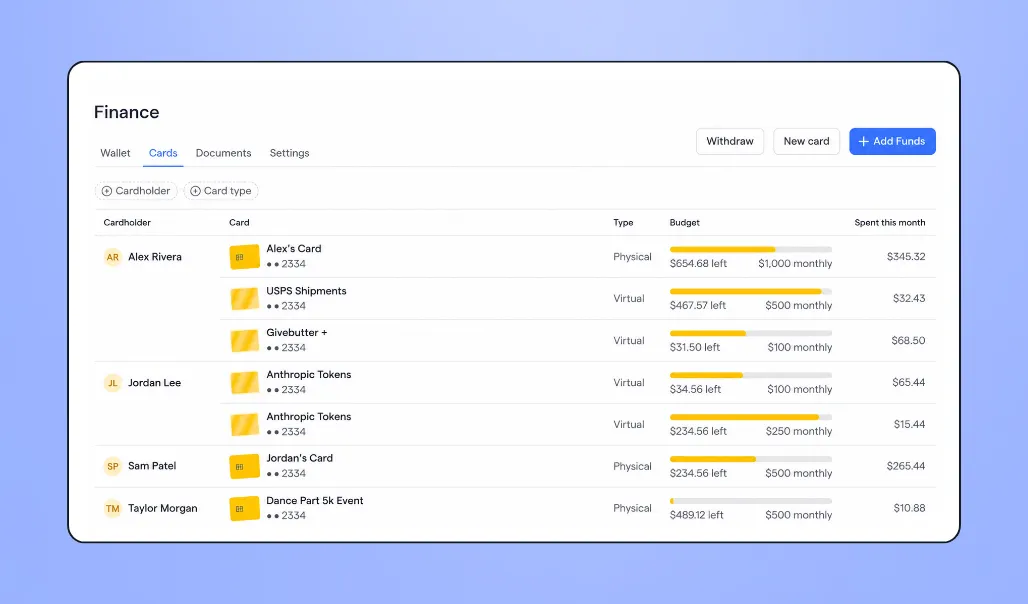
With Givebutter, Admin and Finance users can create spend cards that draw directly from Givebutter Wallet funds, with spending limits that reset on a schedule you choose. Cardholders can also upload receipts from the dashboard or by replying to the transaction text.
Cash & check receipts 📬
Offline donations that arrive by mail or in person are easy to lose track of. If one person opens the mail, records the gift, and handles the deposit, no one else may even notice that a check is missing.
To avoid this, nonprofits should set up a system:
- Log checks and cash on arrival: Record the date, donor, amount, and check number immediately.
- Match each gift to the donor and campaign: This keeps fundraising and financial records consistent and ensures donation receipts are accurate.
- Use one spreadsheet: A separate check log that finance reconciles later creates double entry, gaps, and mismatches.
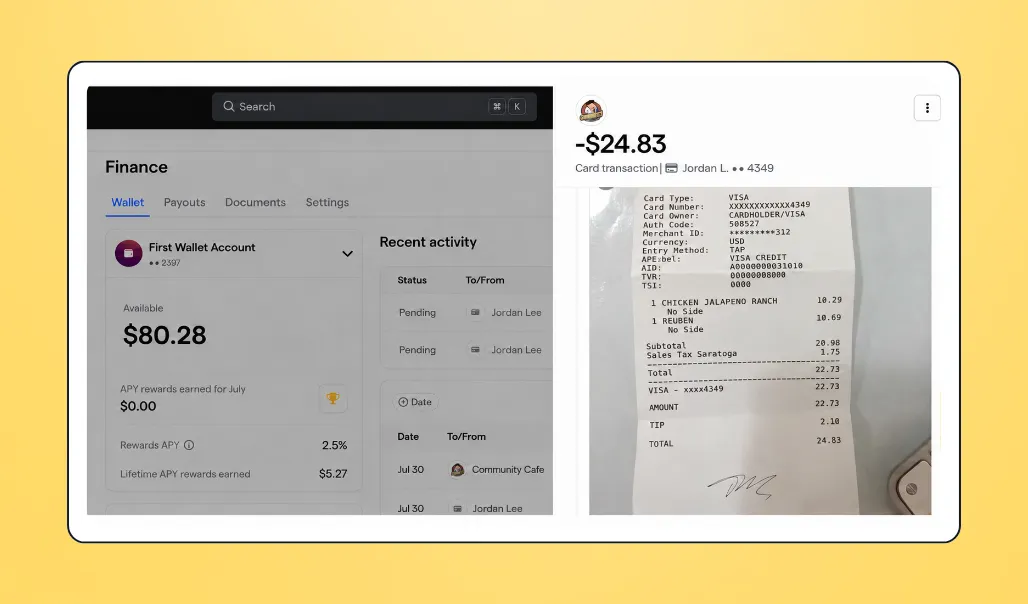
With Givebutter’s mobile app, Admin and Finance users can photograph a donation check, connect it to the donor and campaign, and send the funds right to their Givebutter Wallet. The check images stay with the transaction so there’s a clear record.
Financial reporting & board oversight 📊
Reporting and oversight can help you catch what other controls miss. Here’s what that looks like:
- Reconcile monthly, then have someone outside finance review it: Have the ED, treasurer, or a board member compare the reconciliation to the statement, ask about anything unusual, and sign off.
- Make the treasurer report a standing agenda item: A short recurring report at every board meeting covering cash, income against budget, and anything unusual keeps the board informed.
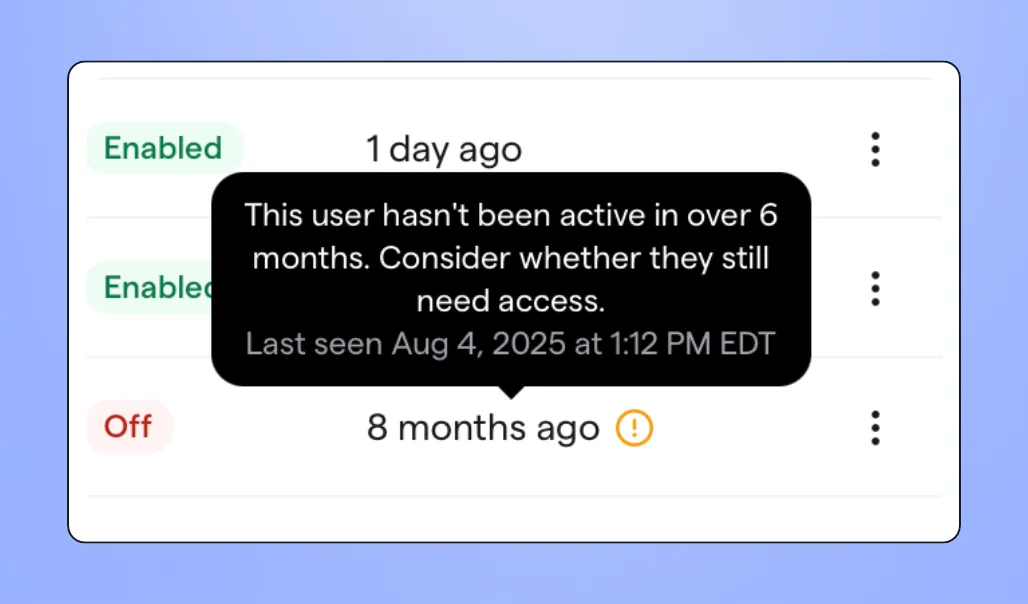
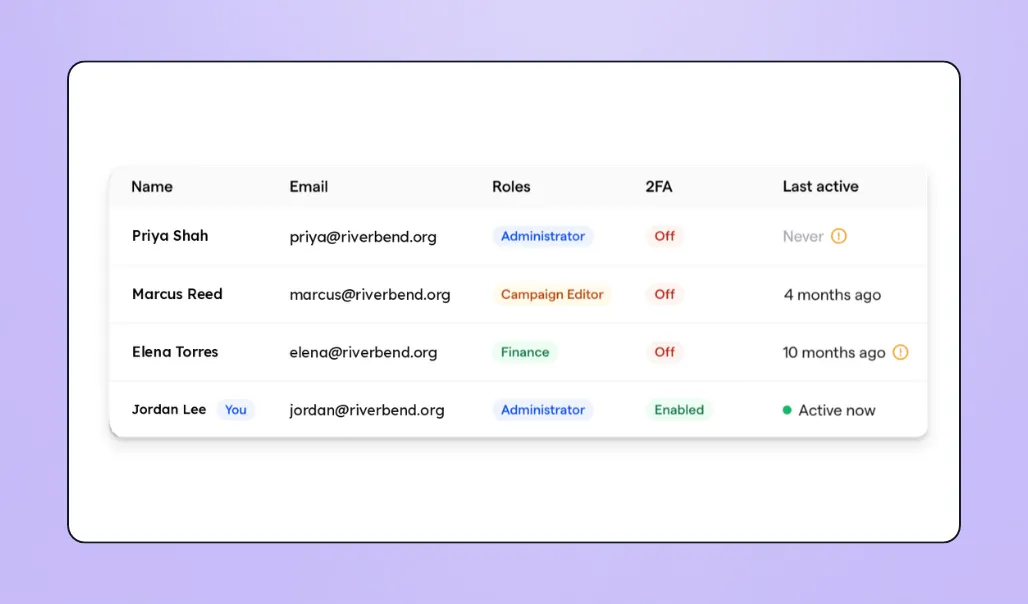
- Review account access annually: Audit who has admin or financial access across your banking, payment, payroll, and fundraising tools, and remove anyone who has left or changed roles. It’s one of the simplest cybersecurity steps for nonprofits.
With Givebutter Plus, nonprofits can use ready-made reports on donor trends, campaign performance, and engagement. Choose a date range to see how results are changing, then share the visuals with your board.

How to set up internal controls for small nonprofits in 5 steps
Perfect segregation of duties isn’t realistic for a two-person team. Small nonprofits can still establish effective internal controls by mapping who handles money, separating responsibilities when possible, and scheduling regular reviews.
1. Map who touches money today 👥
List every step as it happens in your nonprofit now: opening mail, recording gifts, approving bills, paying, running payroll, and reconciling. Then, note who does each one, and flag anyone who handles a transaction from start to finish.
2. Split the riskiest duties & add compensating controls 💰
The person who enters bills or invoices should never also sign the checks. For small two-person teams where splitting duties isn’t possible, add an outside review, such as the CEO, ED, or a board member signing off on the monthly bank reconciliation, or dual approval above a set dollar amount.
3. Set role-based permissions ✅
This one is simple: Give people financial access based on their role.
With Givebutter, roles such as Campaign Editor and CRM Manager have no access to payouts, Wallet, or spend cards, so fundraising staff can do their jobs without touching funds.
4. Write a short policy the board approves 📃
A policy keeps your entire team on the same page.
Cover approval thresholds, who can spend, receipt deadlines, and review schedules, and keep it to two pages or less.
Outline how people can raise concerns, such as contacting the board chair or the audit or finance committee chair. The ACFE report found that tips are the most common means of detecting fraud (43% of cases).
5. Schedule monthly & annual reviews 🗓️
Schedule a monthly review that includes reconciliation sign-off and the treasurer's report, plus an annual review of your access rules and policy to determine whether they need updating.
Download your free internal controls checklist for small nonprofits
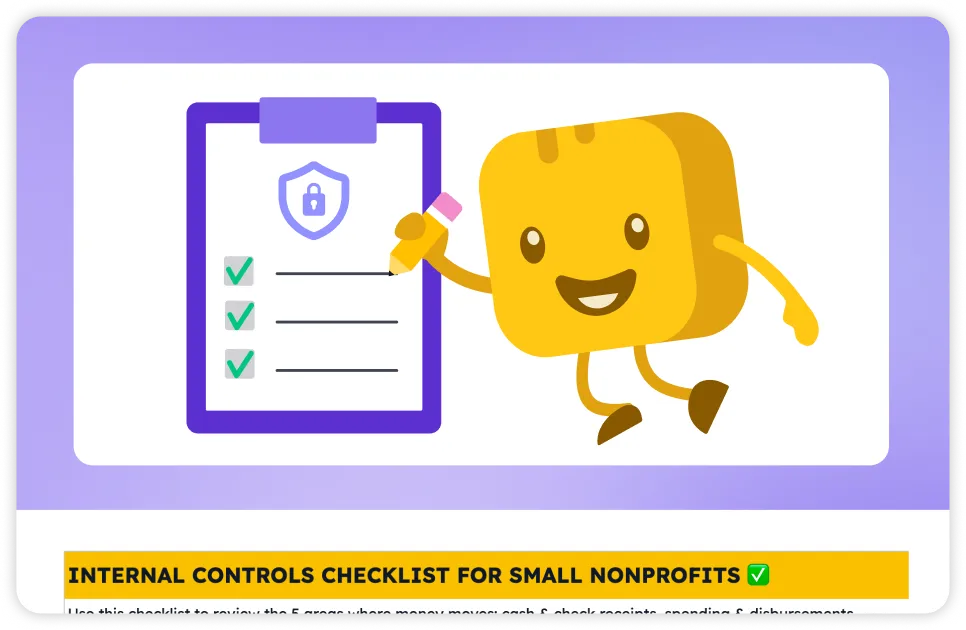
This free nonprofit internal controls checklist covers the five areas where money moves: cash and check receipts, spending, payroll, financial reporting, and board oversight.
Each control includes a small-team option for organizations that can’t fully separate duties, plus space to assign owners and identify next steps for your treasurer or board.
Protect every dollar & the people who handle it
The right internal controls mean one person in the nonprofit isn’t carrying the risk alone anymore. If a number looks off, there's a paper trail to protect them, and the board can see that the money is handled well.
Start this month with two moves: make sure no one person handles a transaction from start to finish, and ask someone outside finance to review the bank reconciliation.
With Givebutter, nonprofits can keep spending, receipts, and check images in one place, so the documentation your board or auditor asks for is easier to find.

Spend, track, & document funds with Givebutter Wallet
Sign up for Givebutter and start protecting your money and your people.
FAQs about internal controls for nonprofits
What are the 7 internal control procedures?
There’s no single official list, but the seven internal control procedures most often cited are segregation of duties, authorization, documentation, physical safeguards, reconciliations, reviews, and access controls. Most small nonprofits can apply all seven by grouping controls by area: cash receipts, spending, payroll, reporting, and board oversight.
What are the 4 pillars of internal control?
Sources vary, but the four pillars of internal control usually refer to segregation of duties, authorization and approval, documentation and reconciliation, and oversight and review. The COSO framework, the most widely used standard, organizes the same ideas into five components.
How do small nonprofits handle segregation of duties?
The most practical internal controls for nonprofits with small teams are compensating controls: have a board member or ED review bank reconciliations, enforce dual approval for payments over a set amount, and use role-based access in finance tools.
Share this article