

.svg)
.svg)
.svg)
.svg)
.svg)
.svg)
.svg)
.svg)
.svg)


.svg)
.svg)
.svg)
.svg)
.svg)
.svg)
.svg)
.svg)

.svg)
.svg)
.svg)

.svg)

.svg)
.svg)
.svg)
.svg)
.svg)


.svg)
.svg)
.svg)
.svg)
.svg)
.svg)
.svg)






.svg)


.jpg)


Your donors gave last year, and now they want to know what happened next. A nonprofit annual report answers that with real outcomes, clear financials, and a thank-you that feels personal.
Done well, it’s far more than a recap. It’s proof of what your supporters made possible, and that proof is what brings them back to give again. You don’t need a big budget or a designer, just a clear story and the right structure.
Below, you’ll learn what to include, how to build your report in 7 steps, and what 3 standout nonprofits did well. You’ll also get a free nonprofit annual report template, so you can start filling it in today.
Key takeaways
- Annual reports create connection with your community 💛 Beyond required IRS filings like Form 990, voluntary annual reports are a strategic way to tell your story, build donor trust, and strengthen relationships.
- Know the reporting differences 🤔 An impact report focuses on donor-funded outcomes and stories, while an annual report covers the entire organization, including programs, finances, governance, and year-ahead goals.
- Balance data with storytelling 📊 The most effective reports combine statistics and financial breakdowns with personal stories, testimonials, and visuals that bring your impact to life.
- Include six essential sections 👀 Most strong nonprofit annual reports include: an opening letter, mission reaffirmation, outcome highlights, financials, donor recognition, and a forward-looking vision.
- Prioritize visual design and format 🎨 Keep your report scannable, on-brand, and visually engaging, so supporters can easily grasp your key achievements.
- Use your annual report to fuel future fundraising 🔥 Showing tangible impact motivates donors to give again, making it both a stewardship tool and a momentum builder.
- Pull your numbers with Givebutter 🧈 Givebutter Plus’s ready-made reports fill in automatically, so you can see how much you raised, how many donors gave, and your average gift next to last year’s numbers.
Are nonprofits required to have an annual report?
A donor-facing annual report is voluntary. But other filings are also involved: Form 990 is legally required for most nonprofits, and state charity registrations may be required depending on your state. Here’s the breakdown:
- Form 990: Most 501(c)(3) organizations with gross receipts of $200K or more or total assets of $500K or more must file this public IRS return covering financials, governance, and programs. Smaller organizations file Form 990-EZ or 990-N.
- Annual report: This is a voluntary communications piece your nonprofit can create to showcase your mission, impact, and story in an engaging and accessible way.
💡 Bottom line: Form 990 checks the compliance box, while an annual report tells your story and strengthens donor relationships.
⚖️ Disclaimer: This article is for informational purposes only and doesn’t constitute legal or tax advice. Tax rules can change and depend on each donor’s situation, so consult a qualified tax professional or the IRS for guidance specific to your organization.
What’s the purpose of a nonprofit annual report?
A nonprofit annual report helps supporters understand your accomplishments, goals, and how funds were spent over the past year. More than a compliance document, it serves to:
- Inspire supporters 💪 Revisit your mission statement and show how your current programs and initiatives align with it.
- Thank donors 🙏 Highlight major donor partners, corporate sponsors, and individuals who contributed to your year-end giving goal.
- Demonstrate financial transparency 🔎 Show donors how their gifts further your mission by featuring clear financials and outcomes.
A strong annual report can improve donor retention by demonstrating that your organization is delivering on its promises.
In a Givebutter survey of more than 350 nonprofit professionals, 91% agreed that donors will want clearer communication about where their donations go in 2026. Your annual report is a natural place to deliver that clarity, with your outcomes and financials side by side.
💭 Did you know? An annual report covers the full organization (programs, finances, governance, team, year-ahead goals), while an impact report focuses narrowly on donor-funded outcomes and stories. These two reports complement each other rather than replace one another.

Download your free nonprofit annual report template
Download this ready-to-use free annual report template so you can save time and share your story with confidence. You’ll find labeled sections for the ED letter, mission statement, program outcomes, financial summary, donor recognition, and year-ahead goals.
Smaller organizations can focus on the letter, outcomes, and thank-you pages, while larger teams can fill in every section.

How to write a nonprofit annual report in 7 easy steps
Annual reports can be a powerful tool for connecting with your community, but it can be hard to know exactly what to include (and why).
If that sounds familiar, don’t worry. Here are the seven steps to make your report a success.
1. Open with gratitude & context 📣
Introduce your annual report with a brief note from your executive director. Use this section to thank supporters and provide a high-level overview of your accomplishments from the past year. Be sure to name specific programs or moments, and keep the copy in the ED’s own voice.
2. Reaffirm your mission & who you serve 💕
Briefly revisit your mission, vision, and values early on in your report to remind readers why your organization exists and what you’re striving to accomplish.
Donors often support several nonprofits, so a one-sentence reminder of who you serve re-grounds them before they read about your outcomes.
3. Show outcomes at a glance 👀
Review the key goals from last year and showcase the programs that delivered the most impact.
Be sure to focus on outcomes rather than outputs. For example, “We distributed 12,000 meals” is an output, while “72% of participants reported improved food security” is an outcome.
Since this section includes a lot of information, break up the text with visual elements such as pie charts, infographics, photos, or other data visualizations to make your findings easy to digest.
“Show the human side of impact by connecting numbers to real people and experiences. Statistics are important, but donors connect more deeply with personal stories.”—Angie Drake, Co-Founder, NYAA Consulting
4. Include financials people can understand 📊
Share a high-level snapshot of where your money came from and where it went: total revenue, total expenses, and the share of spending that funded programs versus admin and fundraising.
Start by checking your actual numbers against your nonprofit budget, then compare a few key metrics with last year to show progress over time.
If you use Givebutter Plus, the Giving Overview report shows how much you raised, how many donors gave, your average gift, and how much came from recurring donations. You can compare each number with last year, so your year-over-year fundraising numbers are ready to drop in. The Donor Health report adds how many new, repeat, and lapsed donors you had, which is handy for your donor recognition section.
“A clear, well-organized report builds trust by showing donors exactly how funds are being used. Include key financials, impact stories, and future goals to keep supporters engaged and confident in your mission.”—Angie Drake, Co-Founder, NYAA Consulting

5. Offer gratitude that feels personal 💌
Time for shoutouts! Loyal supporter relationships are the backbone of your organization, so use your annual report to express real appreciation. Highlight your volunteers, corporate partners, and major gift donors.
If you’re a mid-sized or large nonprofit, recognizing every donor may not be realistic. Instead, focus on key individuals or corporate partners, or create recognition tiers.
If you’re a small nonprofit, using a webpage, donor list, or fundraising page can be a practical way to provide recognition.
💡 Pro tip: Smart filters in Givebutter’s nonprofit CRM can build each recognition tier, like donors who gave $1K or more this year. Use free AI connectors to ask ChatGPT or Claude who gave for the first time, so you can welcome new supporters.
6. Preview what’s ahead 📆
Conclude your annual report with a look ahead by sharing your goals for the coming year, your fundraising plan, and the strategy to get there.
If you’re adjusting your focus this year, be transparent about why. Supporters are invested in your mission, not just your organization. They’ll appreciate the broader context of any challenges and how you plan to address them.
Finally, close with a clear call to action that gives supporters one simple next step, like signing up for updates or making an early gift.
7. Put it all together & spread the news 👋
Once you have all the pieces of your nonprofit annual report, it’s time to decide just how and when you’ll share it.
Here’s what to consider:
- Format: Decide between making your annual report a one-pager, a PDF, a webpage, or even a short video. Choose the format that aligns with your audience, budget, and distribution channels.
- Timing: Draft your report early (and note that it’s “unaudited”), then finalize it after the audit closes. Get it into donors’ hands ahead of your year-end appeal letter so giving again is a no-brainer.
- Creation: Have staff write the copy and hire a contractor to design it, or use Canva in-house. For a digital report, Givebutter’s Storyraise integration adds a donation form or goal bar right inside your report.
- Distribution: Email is the fastest way to reach every supporter. Givebutter’s free drag-and-drop email editor lets you send your report as a branded email with a donate button and graphics from Givebutter’s Canva integration.
Givebutter Plus fundraising blocks can also add a live goal bar that ties your report to your year-end campaign.
3 best nonprofit annual report examples
A great annual report does more than share information; it tells a compelling story. Your report should be clear, concise, visually engaging, and true to your nonprofit’s unique brand.
Here are three top nonprofit annual report examples, plus what you can learn from them. If you’re looking for small nonprofit annual report examples, focus on the ideas that are easiest to borrow: Girls Inc.’s heartfelt opening letter and Keshet’s personal stories and quotes. Both work on any budget, even if you skip Keshet’s more polished digital design.
1. Keshet: Lead with bold storytelling & human impact 🌈
Keshet’s mission to build full equality for LGBTQ+ Jews and their families is immediately clear in its annual digital report. The design is visually striking, with a cohesive color scheme and clean graphic layout.
It pairs personal quotes and stories with a narrative overview of the organization’s work, highlighting both its impact and the broader context of its mission.
.webp)
💪 Effort level: 7/10
💛 Best for: Small to mid-sized nonprofits looking to deepen supporters’ emotional connection through storytelling
✏️ Tip: Feature personal stories and quotes from beneficiaries, complemented by photos or short videos. Shift the focus from figures to how you’ve helped real people.
2. 350.org: Impress with meaningful metrics 📊
350.org’s annual report sums up its international work in a “350 in Numbers” section, with headline stats like 407 local groups and more than 1.3 million people mobilized. It also lists the year’s total revenue and expenses, giving readers a quick snapshot of the organization’s scale.
.webp)
💪 Effort level: 6/10
💛 Best for: Large nonprofits, especially those with a national or international reach
✏️ Tip: Use visuals to make your numbers more meaningful. Whether it’s animals rescued or trees planted, metrics paired with context help demonstrate your impact and credibility.
3. Girls Inc.: Begin with gratitude & transparency 🙏
Girls Inc.’s report opens with back-to-back letters from its President & CEO and its Board Chair, thanking donors for how far the organization has come and pairing that gratitude with a clear snapshot of the year’s financial results.
.webp)
💪 Effort level: 4/10
💛 Best for: Nonprofits of any size that want to lead with gratitude
✏️ Tip: Your letter may be a supporter’s first and only impression of you. Take time to craft it, and have one or two trusted colleagues read it for clarity while keeping it in your leader’s own voice.
Your annual report is the proof that keeps donors giving
Every annual report is a chance to show supporters exactly what their generosity made possible. That proof builds donor trust, and trust is what brings supporters back to give again. Publish one every year, and that trust grows with each report.
To get your report out the door, start with the template, lead with your best story, and share it by email and social before the calendar flips. With Givebutter Plus, ready-made reports fill in automatically with your Givebutter data, so you can compare this year’s fundraising with last year’s and spot donor trends without exporting a single spreadsheet.
Pick a send date now, ideally a few weeks before your year-end appeal, and work backward from it. The sooner donors see what they made possible, the sooner they’re ready to do it again.
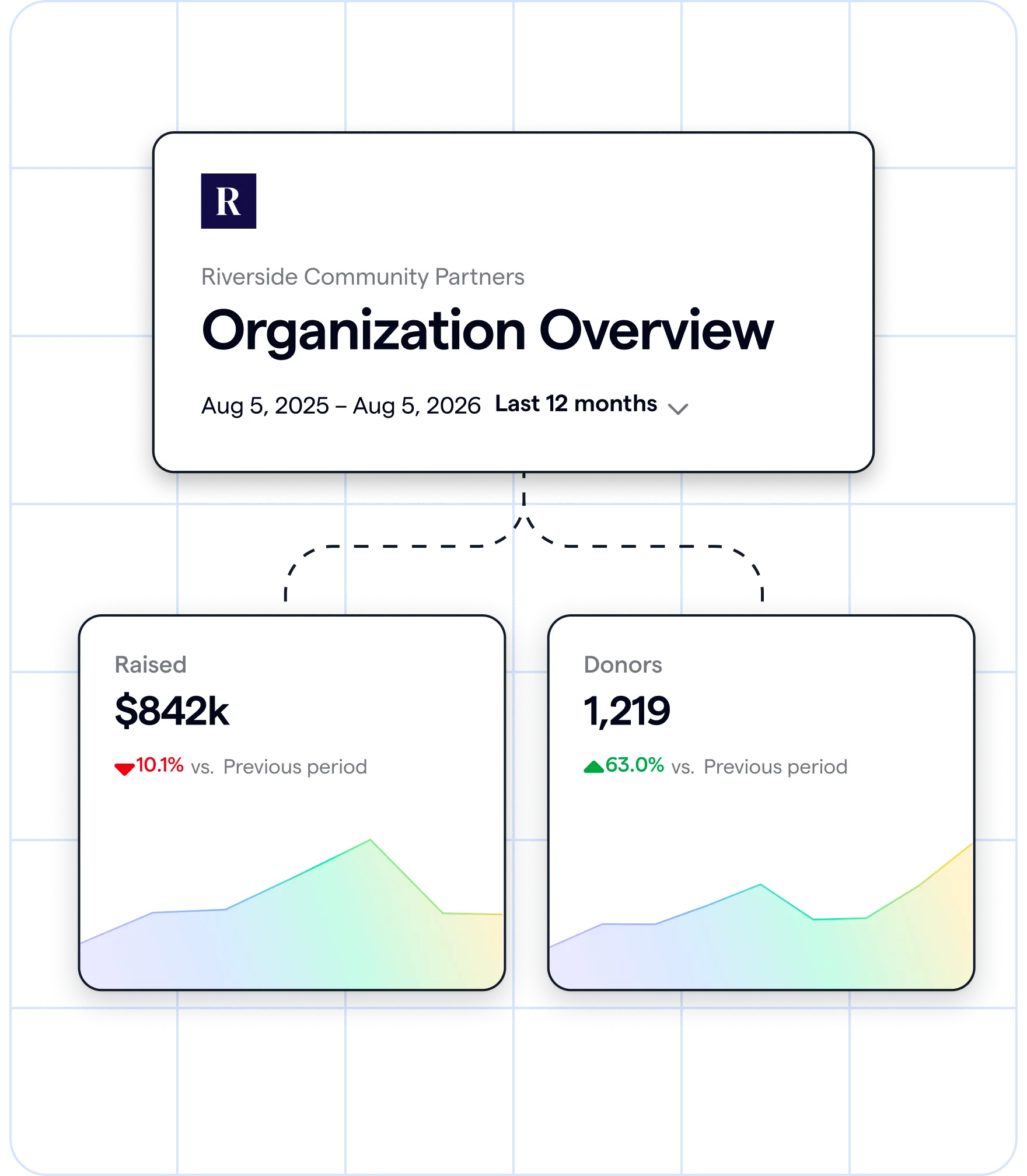
Pull your fundraising numbers with Givebutter Plus
You’ve already made an impact. Now share it with the world. Start your free 30-day Givebutter Plus trial, or create your free Givebutter account today.
FAQs about nonprofit annual reports
What are the 4 parts of the annual report?
The four core parts of a nonprofit annual report are mission and program highlights, financial overview, donor recognition, and year-ahead vision. An opening letter and program outcomes are also helpful sections to include.
What should be in a nonprofit annual report?
Most include a mission statement, an ED letter, program outcomes, a financial summary, donor recognition, forward-looking goals, and a CTA. A nonprofit CRM like Givebutter keeps your donor and transaction data in one place, so your fundraising numbers are ready when you start writing.
What financial information should a nonprofit include in its annual report?
A donor-facing annual report should include a high-level financial summary, not a full set of financial statements. Form 990 and, for some organizations, audited financial statements are separate requirements that depend on your size, state, and funders, and they’re distinct from the voluntary donor-facing annual report.
Can a nonprofit file an annual report online?
Yes. An annual report can be published digitally as a webpage, PDF, email campaign, or social media content. If you publish it online, make sure it’s easy for supporters to access and share.
Is the annual report of a nonprofit a public document?
A voluntary annual report is as public as your nonprofit chooses to make it. Many organizations post theirs online, while others share them only with donors. Required filings are different: Form 990 is a public record, and you can look up most nonprofits’ filings through ProPublica Nonprofit Explorer or Candid (formerly GuideStar).
Share this article









.svg)
.svg)


