

.svg)
.svg)
.svg)
.svg)
.svg)
.svg)
.svg)
.svg)
.svg)


.svg)
.svg)
.svg)
.svg)
.svg)
.svg)
.svg)
.svg)

.svg)
.svg)
.svg)

.svg)

.svg)
.svg)
.svg)
.svg)
.svg)


.svg)
.svg)
.svg)
.svg)
.svg)
.svg)
.svg)






.svg)



%20(1).png)

You’re halfway through a fundraising drive that feels like it’s going well, only to find your recurring donor rate has fallen and new donor acquisition has stalled. That’s where a live nonprofit KPI dashboard comes in.
It’s a way to monitor your data and view your fundraising trends as they happen, rather than waiting until they show up in your spreadsheet.
Below, you’ll find the five KPI categories to include in your dashboard and how to build one, so you can make data-driven decisions without spending time creating manual reports.
Key takeaways
- It’s a live view of your data 🕰️ A nonprofit KPI dashboard tracks key fundraising metrics so you can make decisions as things change.
- Include five key categories 🗝️ Structure your dashboard around donor health, campaign performance, financial efficiency, engagement, and growth indicators.
- Choose which KPIs to monitor 🤔 Pick two or three KPIs to monitor from each category based on your nonprofit’s goals and priorities.
- Give your team access 📂 Share your dashboard with your team so you’re all on the same page.
- Set a review cadence 👀 Schedule time each month to review your dashboard. Make it weekly during peak campaign times.
- Use the right tools 🧈 Givebutter Plus’s ready-made reports automatically track your KPIs, so you can monitor performance without building a dashboard from scratch.
What is a nonprofit KPI dashboard?
A nonprofit KPI dashboard is a live, centralized view of specific nonprofit KPIs that updates automatically. It works in the background and is designed for easy monitoring.
Think of your KPI dashboard as a control panel for your data. It doesn’t do your data analysis for you, but it presents your most important metrics at a glance so you have more time to make decisions based on your data instead of exporting spreadsheets and assembling reports. Unlike a fundraising report card, which grades your performance at set intervals, a KPI dashboard is always on.
Why your nonprofit needs a KPI dashboard (not just spreadsheets)
While spreadsheets can track your KPIs in a pinch, a nonprofit fundraising dashboard gives your team one reliable place to check performance.
Nonprofit KPI dashboards come with these major benefits:
- Early visibility 👀 Find out if your fundraising campaign is underperforming before your fundraising deadline.
- Efficient reporting ⭐ Instead of building (and rebuilding) slides every board meeting, your data updates automatically and is ready to present.
- View trends automatically 📈 With Givebutter Plus’s ready-made reports, line charts and comparison graphics are built in, so you can view giving trends without any extra work.
- Create a shared language 🗣️ With a nonprofit KPI dashboard, everyone looks at the same data, so you won’t need to worry about discrepancies.
The 5 KPI categories every nonprofit dashboard needs
The first step to building your nonprofit KPI dashboard is choosing your key metrics. Use these five categories and select two or three metrics to monitor from each based on your nonprofit’s goals.
We’ll break down what these categories are and why they’re important, with example metrics from each.
1. Donor health 🩺
Your donor health metrics are a strong indicator of your overall financial health. Givebutter Plus’s Donor Health report shows who’s actively giving, who has stopped, and who may need attention.
.webp)
📊 Example metrics: Donor retention rate, LYBUNT/SYBUNT count, lapsed donor rate
2. Campaign performance 📊
Campaign performance metrics show you how individual campaigns are performing so you can make smarter decisions about where to channel your resources.
📊 Example metrics: Goal vs. actual raised per campaign, donor count per campaign, average gift size per campaign
3. Financial efficiency 💸
Financial efficiency metrics, the core of any nonprofit financial dashboard, show you which fundraising campaigns and marketing efforts are bringing the best results. This helps you take your fundraising dollars further and channel your resources where they’re most likely to make an impact. Pair your fundraising data with expense figures from your nonprofit financial statements to see the full picture.
📊 Example metrics: Total revenue YTD, cost per dollar raised, net fundraising revenue after expenses
4. Engagement 💛
See where your donors are most active, and monitor their investment in your mission over time. This way, you can tailor your nonprofit marketing strategy and target donor stewardship efforts to those most likely to lapse or upgrade.
📊 Example metrics: Email open rate, event attendance, revenue from email and text outreach
💡 Pro tip: Givebutter Plus’s Engage Momentum report shows which email, text, and mail outreach drives results, so you know where to focus your next appeal.
5. Growth indicators 🌱
Growth indicators give a concise overview of your long-term sustainability. They help you plan future programming and flag any potential dips before they become a problem.
📊 Example metrics: New donor count, major donor pipeline movement, year-over-year total revenue

How to organize your nonprofit KPI dashboard
Here’s how to set up your KPI dashboard in three steps.
1. Match your KPIs to ready-made reports 🧮
Because Givebutter Plus’s ready-made reports are built right into your nonprofit CRM, they fill in automatically with your data, so you can see your KPIs without building a nonprofit reporting dashboard from scratch. Here’s how each KPI category lines up with a ready-made report:
🎬 See it in action: A nonprofit focused on donor retention uses the Donor Health report to monitor repeat donors, lapsed donors, and retention over time.
.webp)
2. Give your team access 🖥️
Add your team members as Givebutter account users and set permissions so everyone sees the same reports and works from the same data.
3. Assign owners & schedule reviews 🗓️
Choose one dashboard owner, often your development director, to keep an eye on your KPIs and flag anything that needs attention. Then block out time each month for a team review, and make it weekly during busy campaign periods.
During each review, compare the current period with the last one to see what changed. To dig deeper, use Givebutter’s AI connectors to connect ChatGPT or Claude to your Givebutter data and ask your AI assistant to identify trends and next steps.
💡 Pro tip: Set a recurring calendar invite for your review, then share a quick summary with your ED or board afterward so everyone stays in the loop and your numbers are ready for your annual report.
Build a dashboard that runs itself with Givebutter
A nonprofit KPI dashboard turns a campaign that feels like it’s going well into one you know is on track. With the right metrics in one place, you can spot a dip in recurring gifts or new donors while there’s still time to course-correct, not after the campaign ends.
With Givebutter, your fundraising, donor, campaign, and event data already live in one place. Givebutter Plus’s ready-made reports turn that data into an always-on view of your KPIs, so you can skip the spreadsheet scramble, walk into every board meeting prepared, and spend more time on the donors and campaigns that need you most.
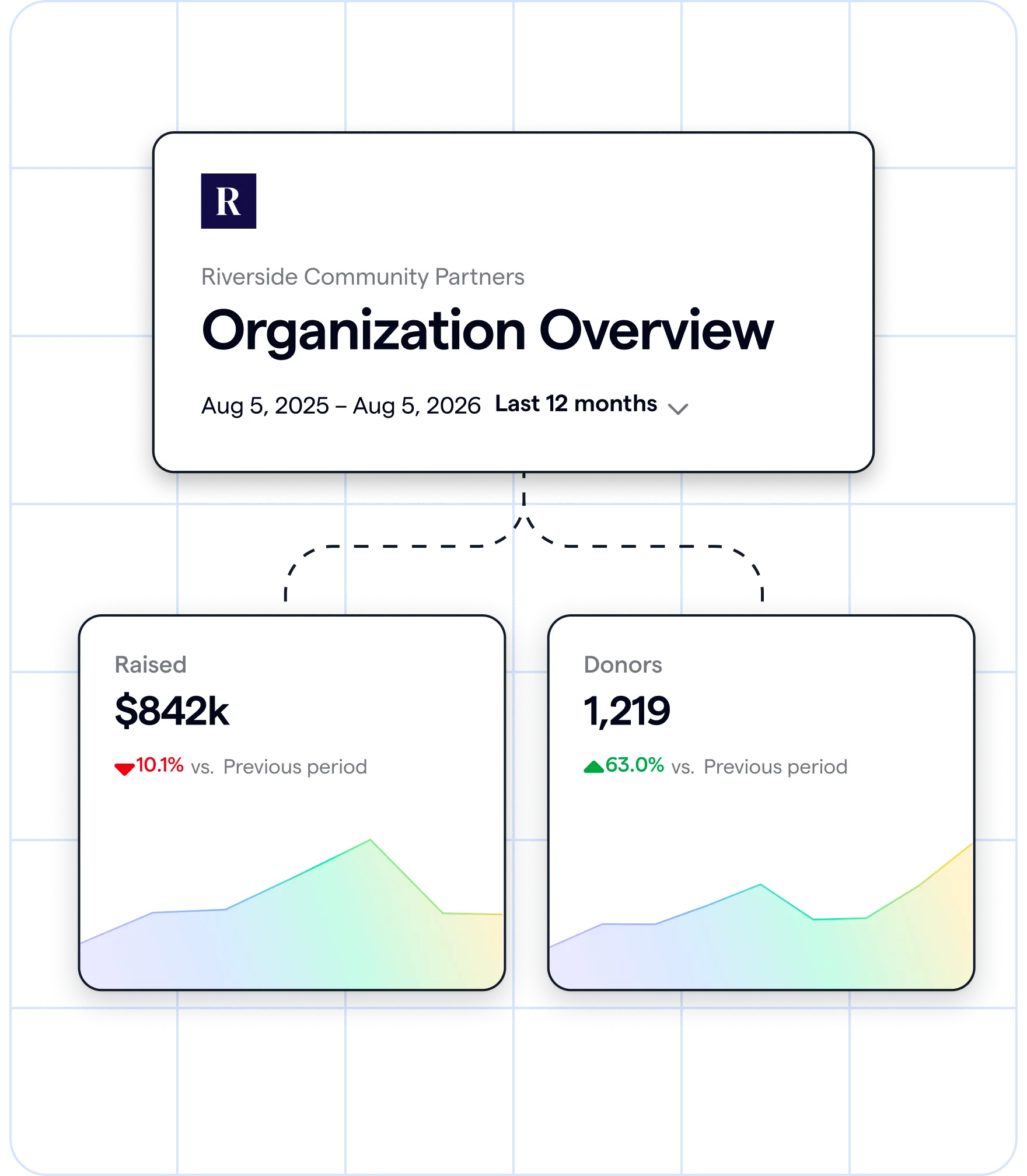
Build your KPI dashboard with ready-made reports
Sign up for your free Givebutter account today. Then try Givebutter Plus free for 30 days to turn your data into a ready-made KPI dashboard.
FAQs about nonprofit KPI dashboards
What tools can nonprofits use to build a KPI dashboard?
Nonprofits can build a KPI dashboard with the reports in their fundraising platform or free tools like Google Sheets and Looker Studio. The simplest option is the platform your data already lives in, so you don’t have to export and rebuild it every month.
Givebutter Plus includes ready-made reports for Giving Overview, Recurring Giving, Donor Health, Engage Momentum, and Pledges that fill in automatically with your Givebutter data.
If you’re a larger organization that needs custom dashboards, try Airtable, Notion databases, or Tableau.
How often should a nonprofit review its KPI dashboard?
Review your dashboard monthly with your team and make changes in any areas where you’re underperforming before they show up in your bottom line. Check it at least weekly during active fundraising campaigns.
Share this article





.jpg)



.svg)
.svg)


